How to use Casora
How to set up dues and send your first bill
Last reviewed
Short answer: on Dues, set what each unit pays a month and how much of it goes to reserves. Add how owners pay you, check the month under Ready to bill?, then bill it. Collections shows who has paid.
Before you start
- Set up your books first: bills start from your books' start date. See How to set up your books from your starting balances.
- Know what each unit pays today and how much of it goes to reserves.
- Go to Dues.
Set the current dues
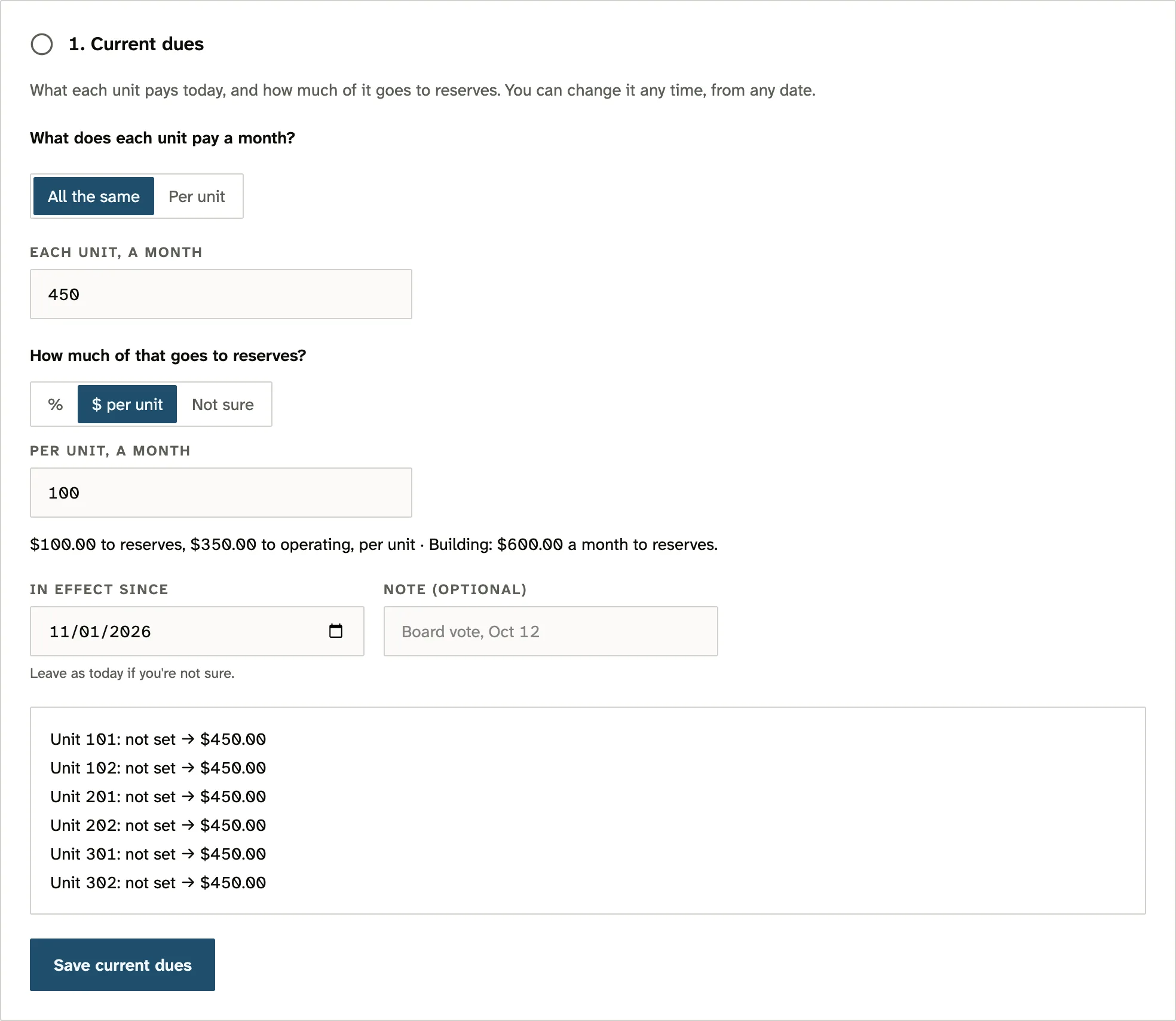
Under 1. Current dues, answer What does each unit pay a month?
- Choose All the same (most small buildings) or Per unit, and enter the amount.
- Under How much of that goes to reserves?, choose %, $ per unit or Not sure, and enter it.
- Set In effect since. Leave it as today if you're not sure.
- Check the line for each unit, then choose Save current dues.
You can change dues any time, from any date. Months you've already billed don't change.
Example. 6 units at $450 a month, $100 of it to reserves: $2,700 a month, of which $600 goes to the reserve.
Add how owners pay you
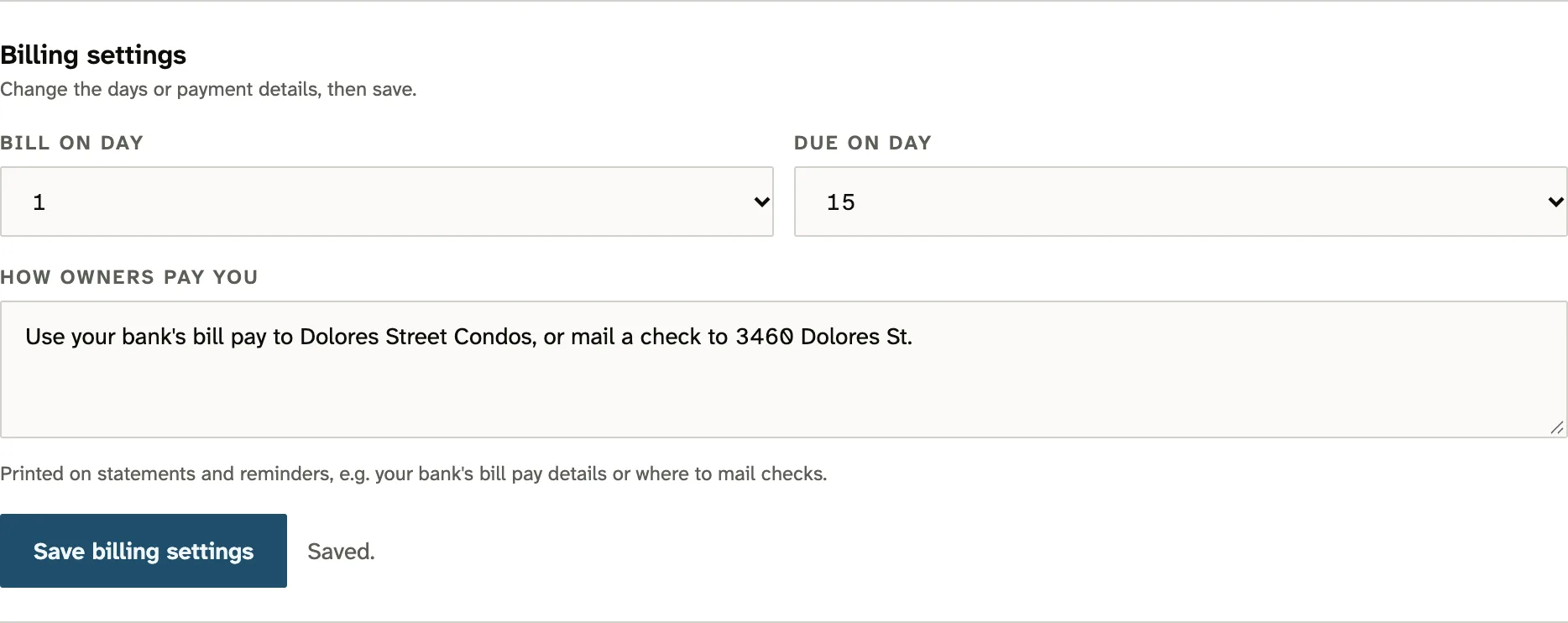
Under Billing settings, set Bill on day and Due on day. In How owners pay you, tell owners how to pay, such as your bank's bill pay details or where to mail checks. It's printed on their statements. Choose Save billing settings.
Check the month is ready
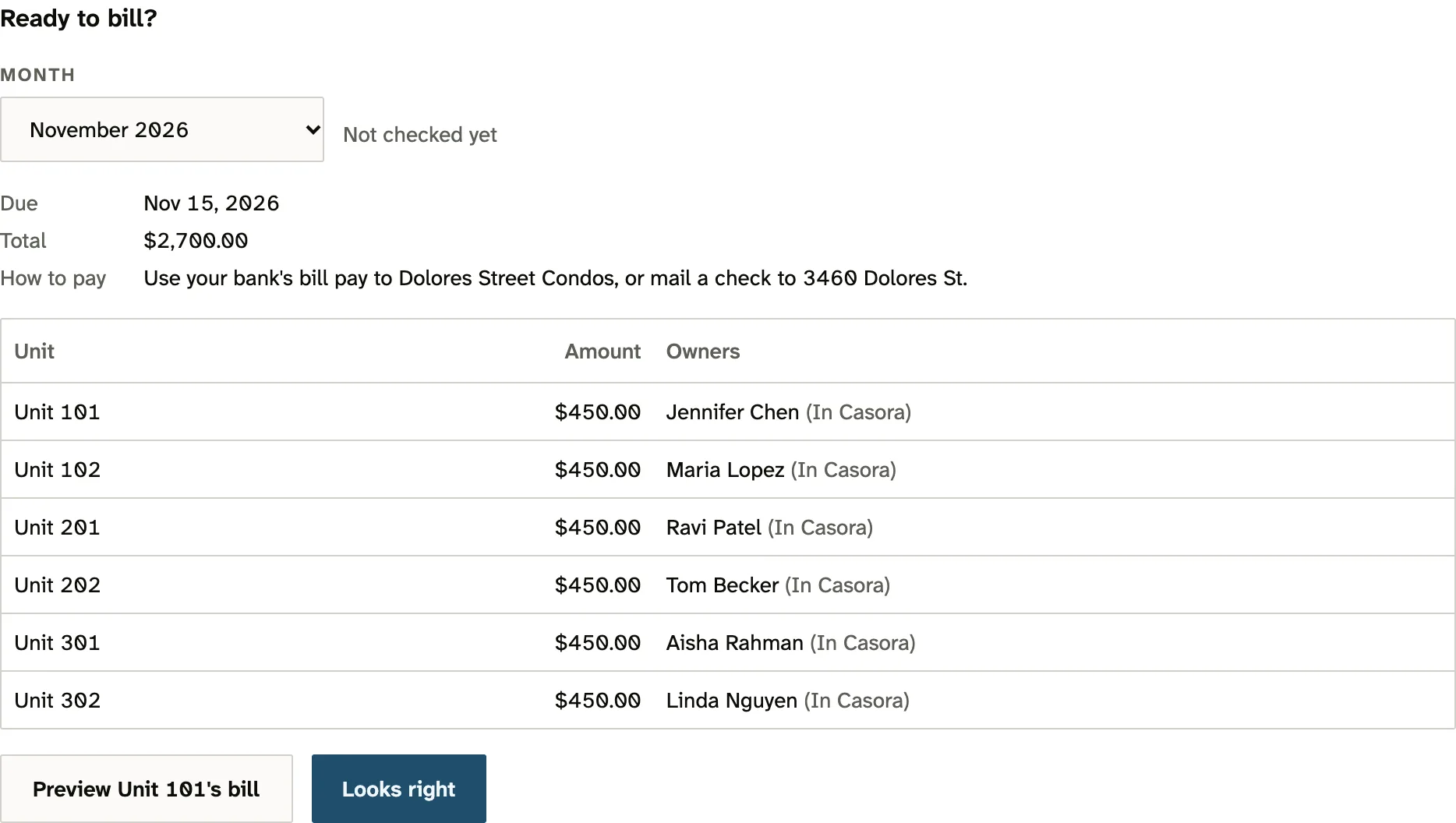
Ready to bill? shows every problem at once, before you bill: the due date, the total, how to pay, and each unit's amount and owners. Choose Preview Unit 101's bill to see a bill as an owner sees it. When it's right, choose Looks right.
Bill the month
Under Bill a month, pick the month and choose Preview. Check each unit's amount and the reason for it, for example "Dues in effect on 2026-11-01 ($450.00 a month)".
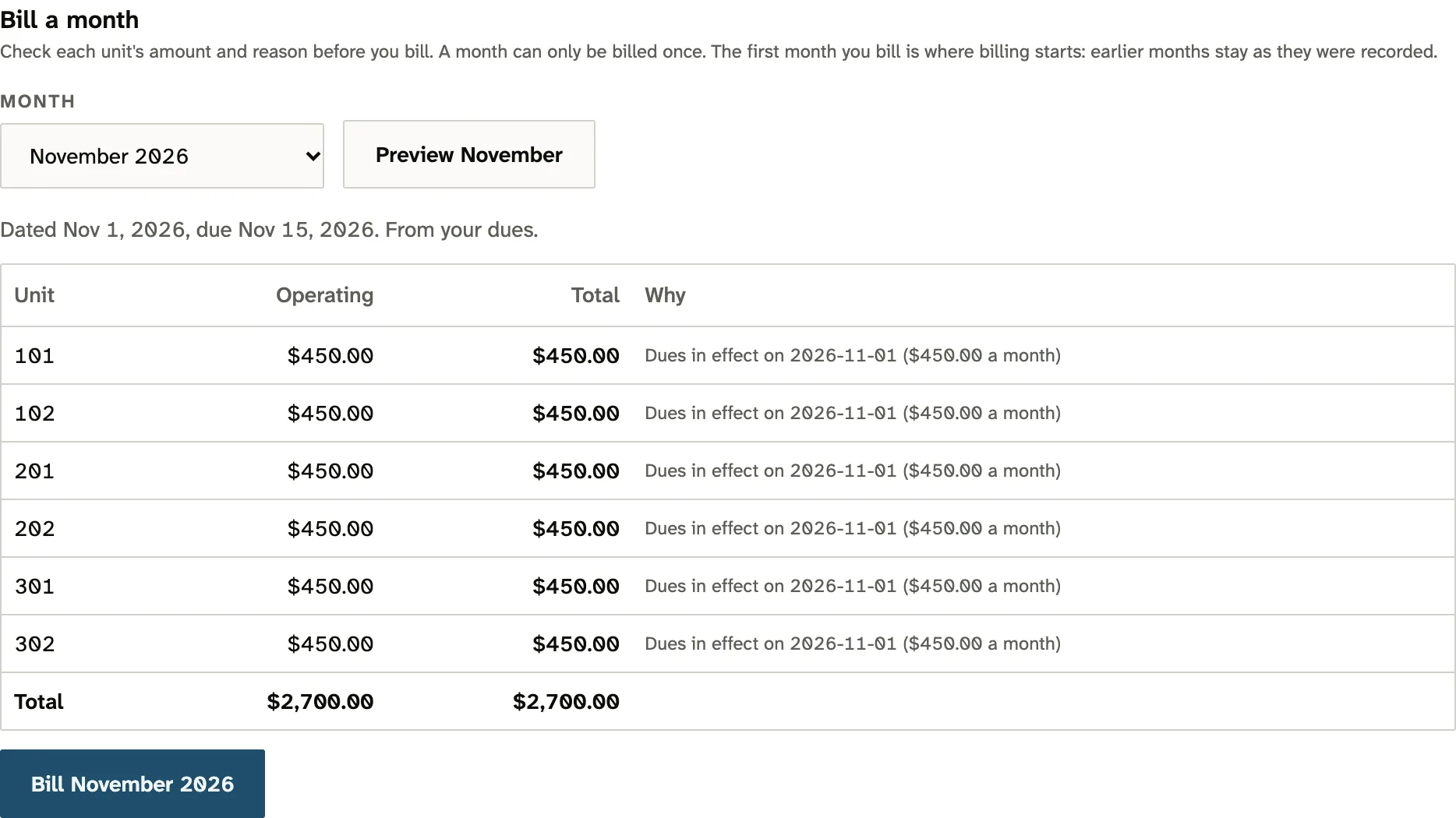
Then choose Bill November 2026. A month can be billed only once. The first month you bill is where billing starts, and earlier months stay as they were recorded.

Record a special assessment
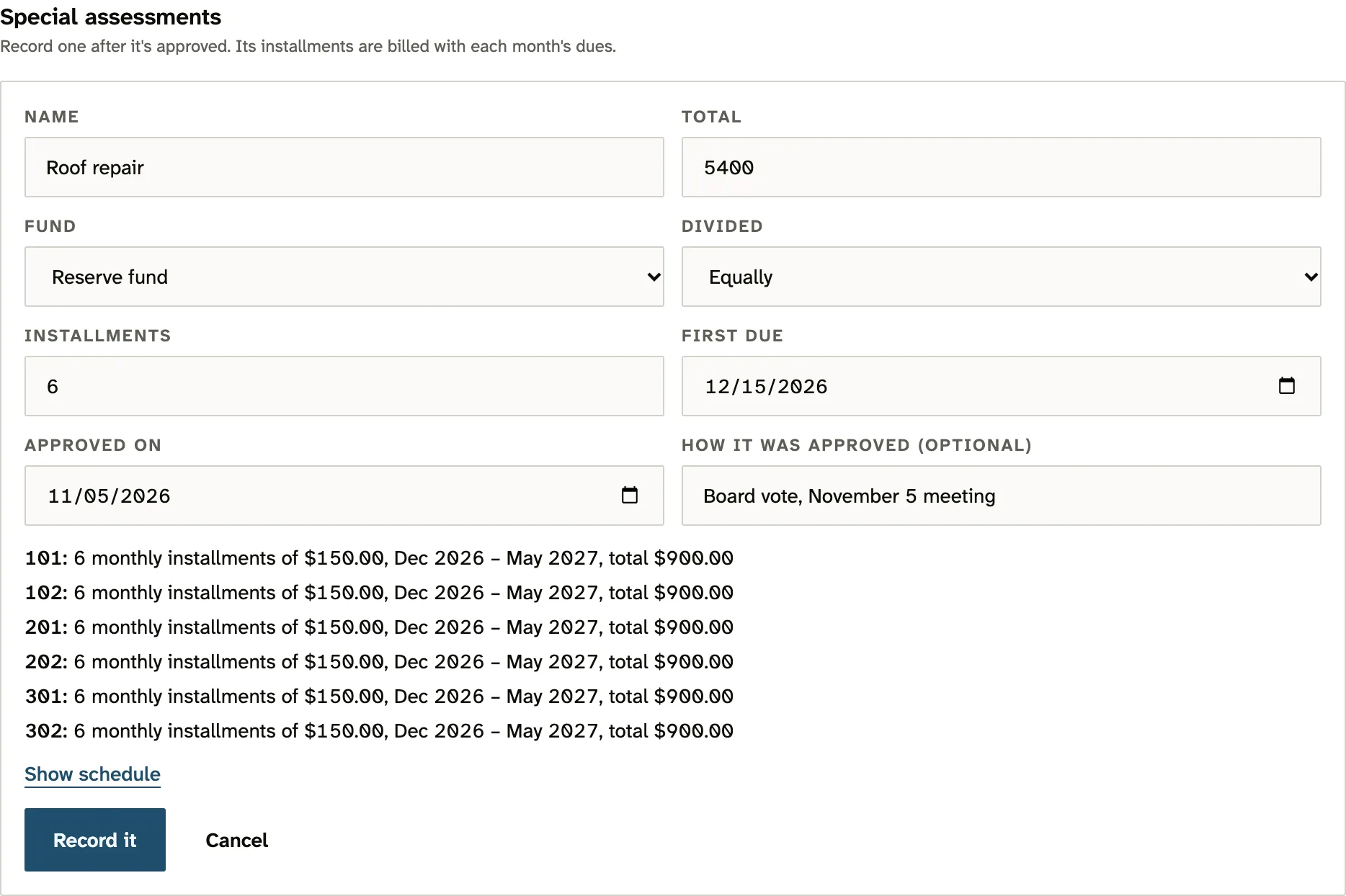
Record one after it's approved, under Special assessments → Record a special assessment.
- Enter a Name and the Total.
- Pick the Fund it's for, usually Reserve fund, and how it's Divided: by percentage interest, or equally.
- Set the number of Installments and the First due date.
- Enter Approved on and, if you like, How it was approved.
- Choose Preview, check each unit's installments, then choose Record it.
Installments are billed with each month's dues. Whether an assessment needs a vote of the owners depends on its size and your rules: check your governing documents.
See who has paid
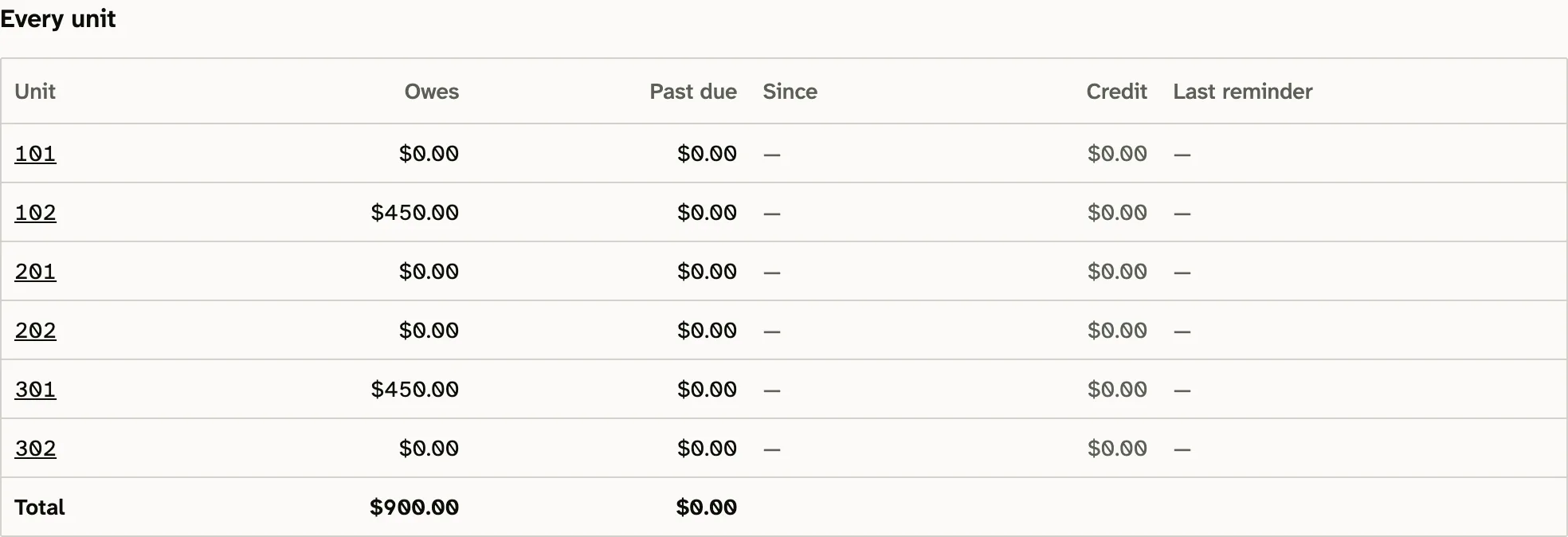
Collections lists every unit with what it Owes, what's Past due and since when, and any Credit. Payments you record in Transactions show up here. See How to sort bank activity and close the month.
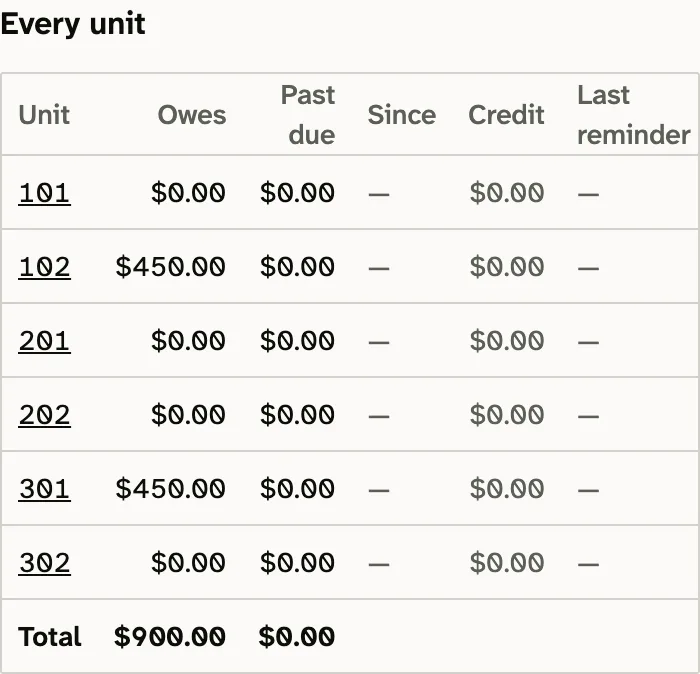
On a phone, the table scrolls sideways.
What happens next
Each month, check Ready to bill? and bill the month. When owners pay, record each payment from the bank in Transactions. Owners you've invited see their bills in Casora.
Frequently asked questions
An owner paid twice.
The extra shows as a Credit on their unit in Collections.
We changed dues partway through the year.
Under 1. Current dues, enter the new amount and set In effect since to the date it starts. Months already billed don't change.
I billed a month by mistake.
Under Billed months, choose Void next to that month. You can then bill it again.
Last reviewed November 11, 2026. General information, not legal or tax advice.
See where your association stands.
Set up Casora for your building today.