How to use Casora
How to set up your books from your starting balances
Last reviewed
Part of Bookkeeping and reports →
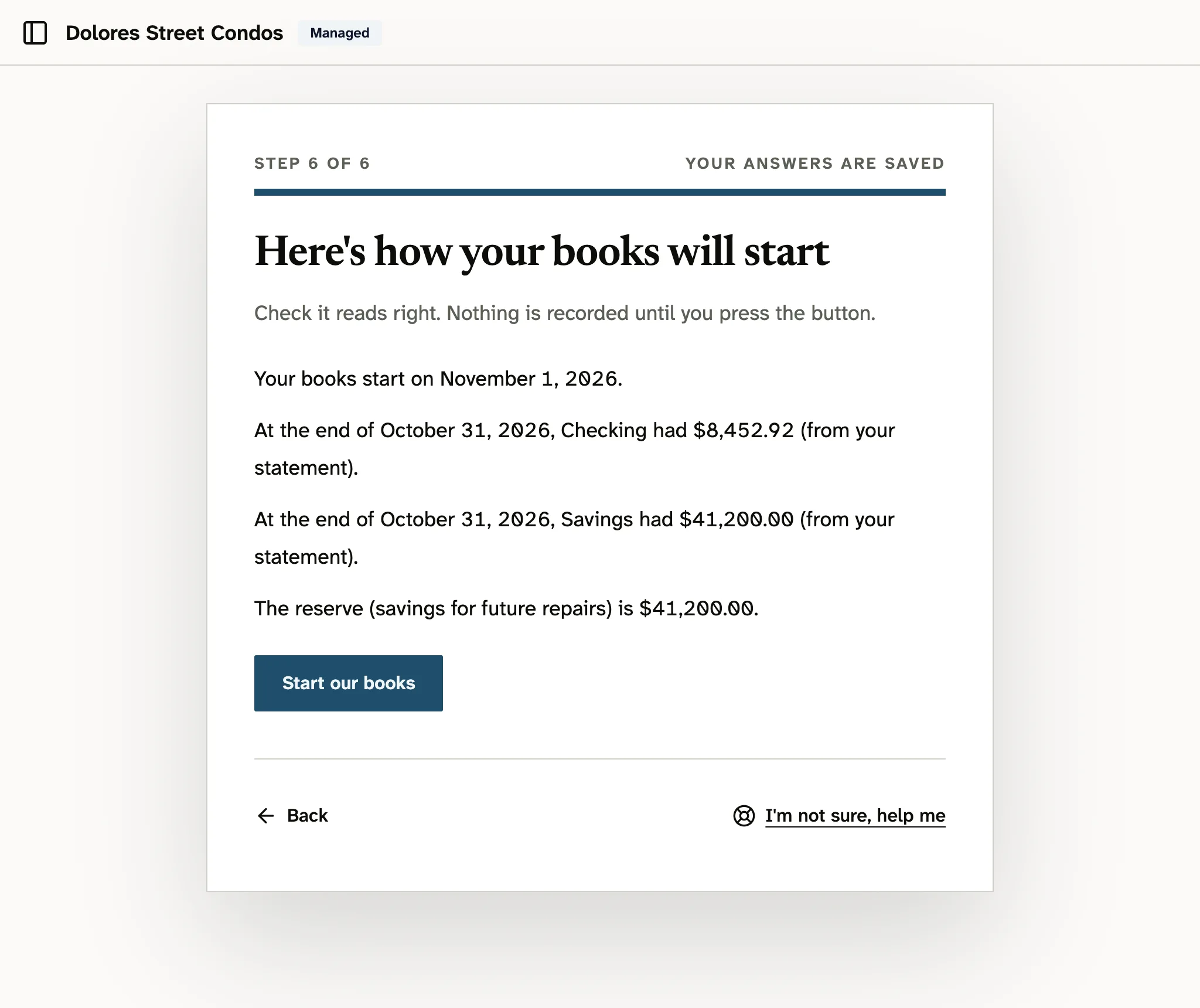
Short answer: your books start on one date, and each account's starting balance is what it held at the end of the day before. For a start on November 1, that's the closing balance on your October statement. Casora asks six short questions, and nothing is recorded until you choose Start our books.
Before you start
- Have last month's bank statements for the operating and reserve accounts.
- No accounting knowledge needed. Your answers save as you go, so you can stop and come back.
- On your Overview, choose Set up your books.
Say where the association is today
Step 1 asks Where is your association with its finances today? Pick We already have money or a bank account for most associations. Just getting started is for a brand new association with no money yet.
Choose how to get balances
Step 2 asks How should we get your starting balances? Connect your bank is recommended: transactions then arrive by themselves. Enter balances from my statement works if you'd rather connect later. See How to connect your association's bank account.
Pick when your books start
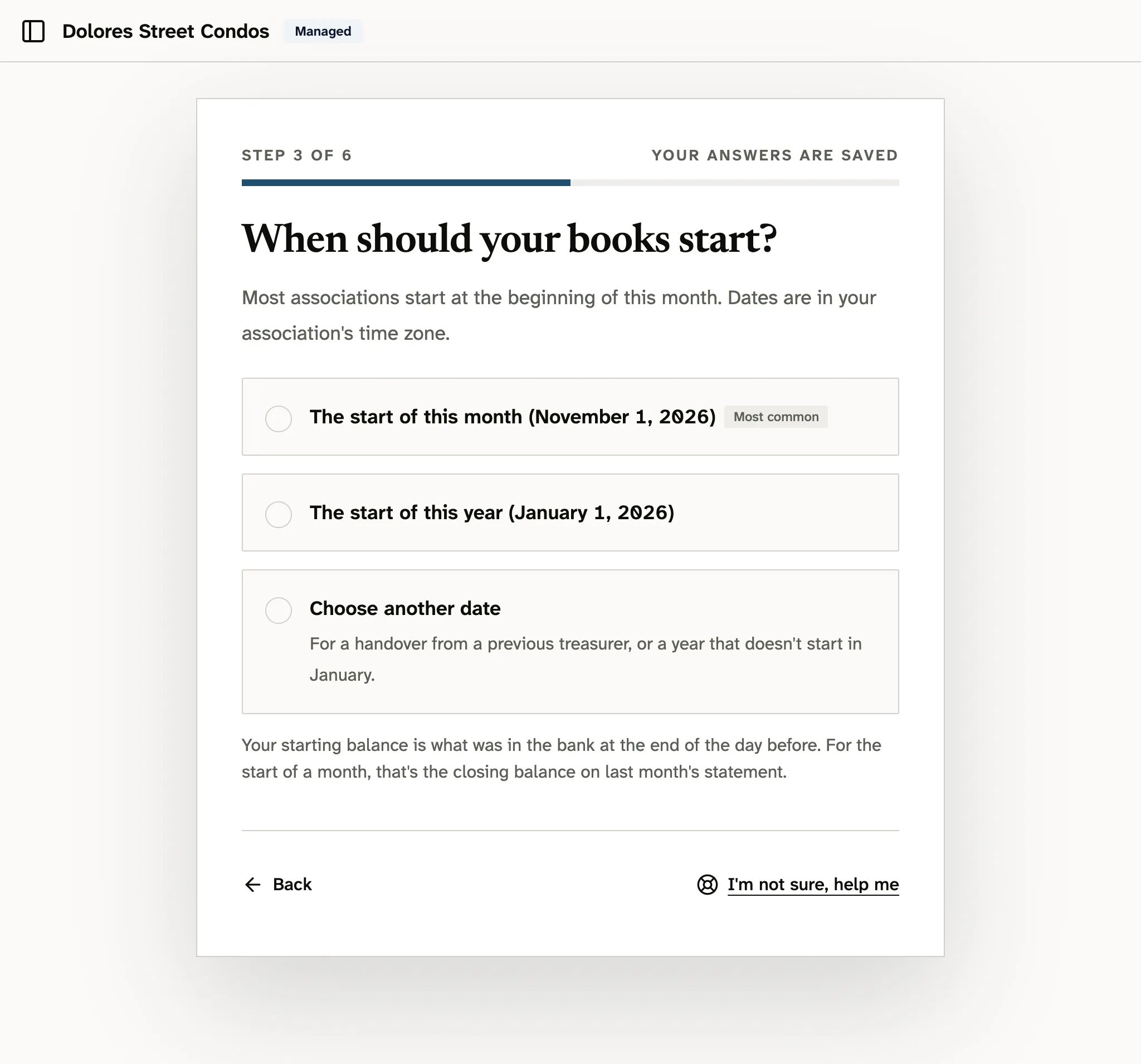
Step 3 asks When should your books start?
| Choice | When to pick it |
|---|---|
| The start of this month | Most associations. You start fresh and keep up from here |
| The start of this year | You want this year's full history, for the budget or taxes |
| Choose another date | A handover from a previous treasurer, or a year that doesn't start in January |
Enter each ending balance
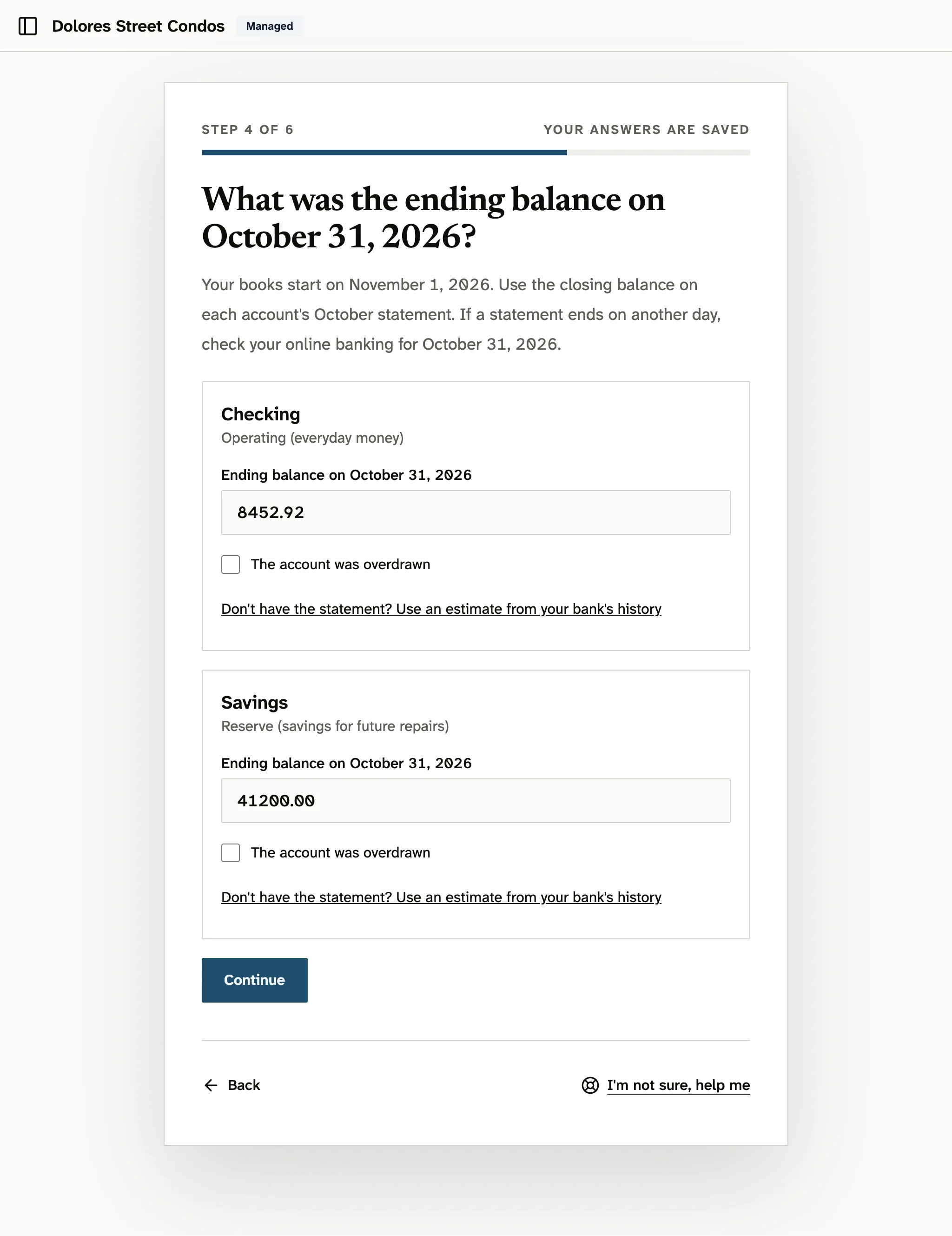
Step 4 asks for each account's ending balance on the day before your start date. Type the closing balance from that month's statement. If a statement ends on another day, look up that date's balance in online banking. Tick The account was overdrawn if it was negative.
Don't have the statement handy? Choose Use an estimate from your bank's history. Casora works back from today's bank balance and shows its arithmetic under How we worked this out. An estimate can be off by transactions that were pending or arrived late, so type the statement figure when you can.
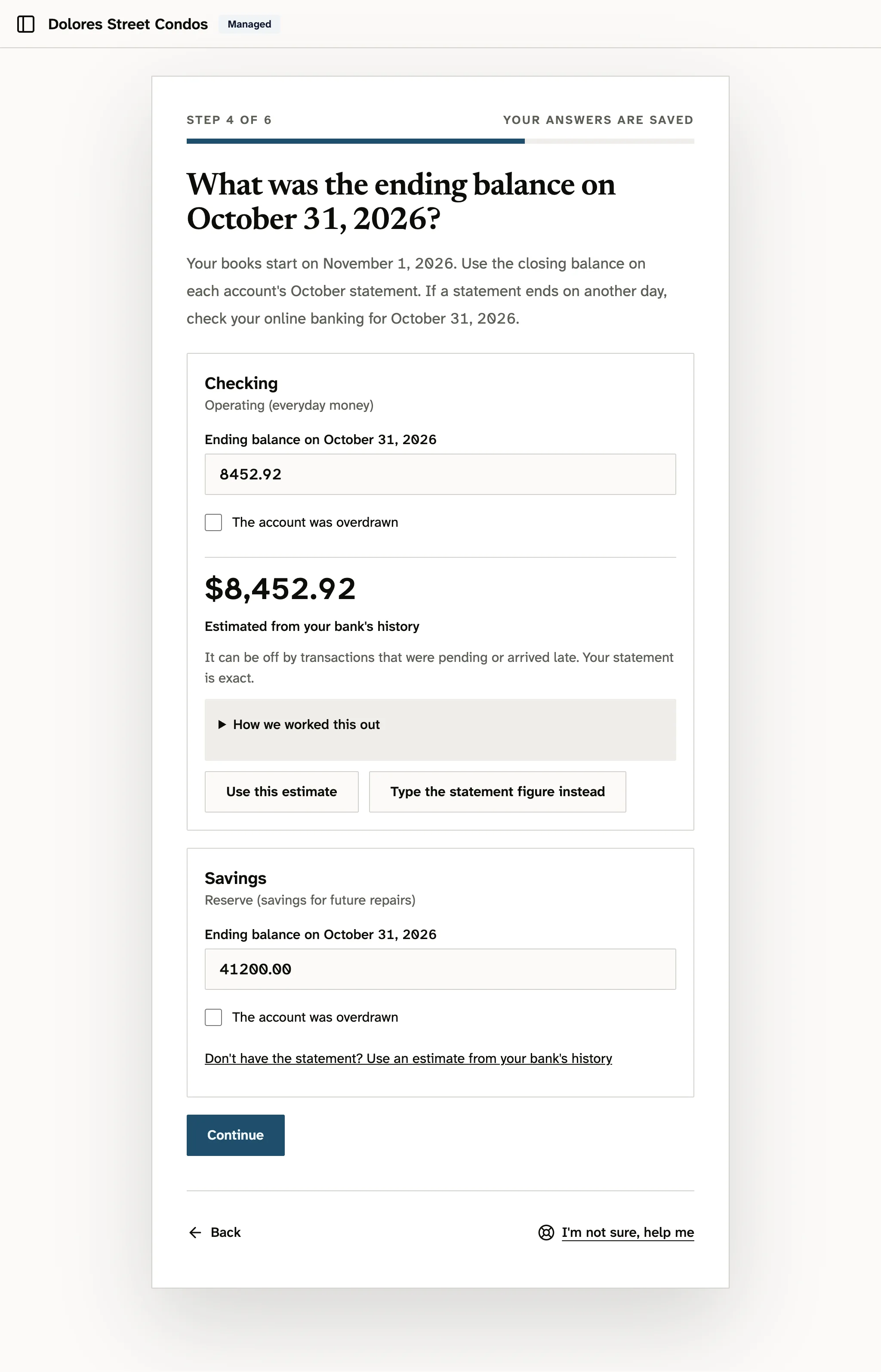
Worked example. Dolores Street Condos' checking account shows $8,915.74 today. Since November 1, $1,800.00 came in (four dues payments) and $1,337.18 went out (landscaping, a repair, water and a $600 transfer to savings). So at the end of October 31 it held about $8,915.74 − $1,800.00 + $1,337.18 = $8,452.92.
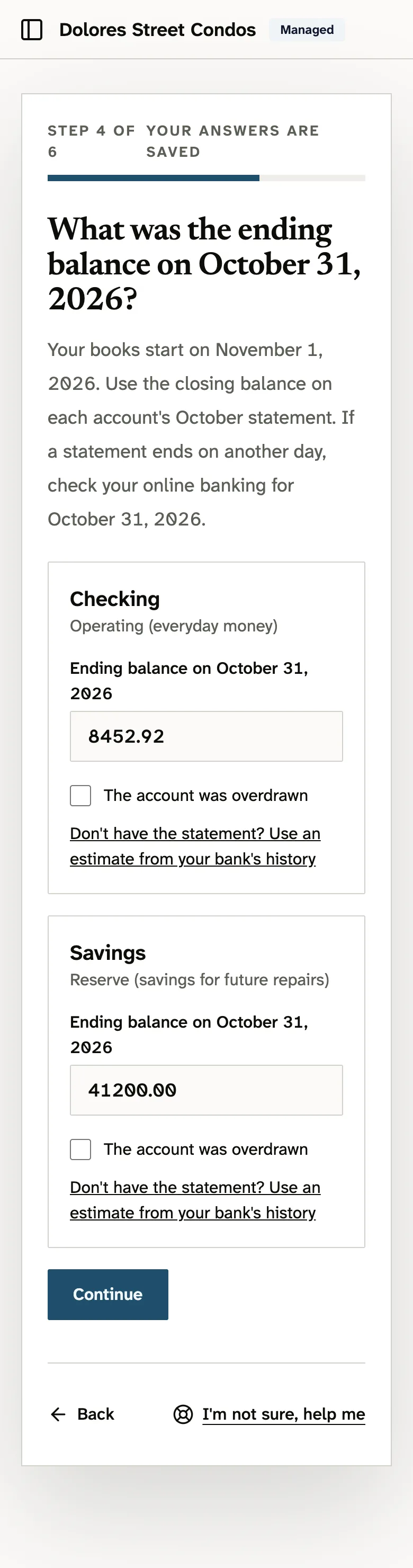
The step works the same on a phone.
Say what the reserve holds
Step 5 asks whether all of the reserve account is set aside for repairs. Answer Yes, all of it if the savings account holds only reserve money. If part of it is everyday money, or some repair money sits in checking, choose the other answer and Casora asks how much.
Check it reads right
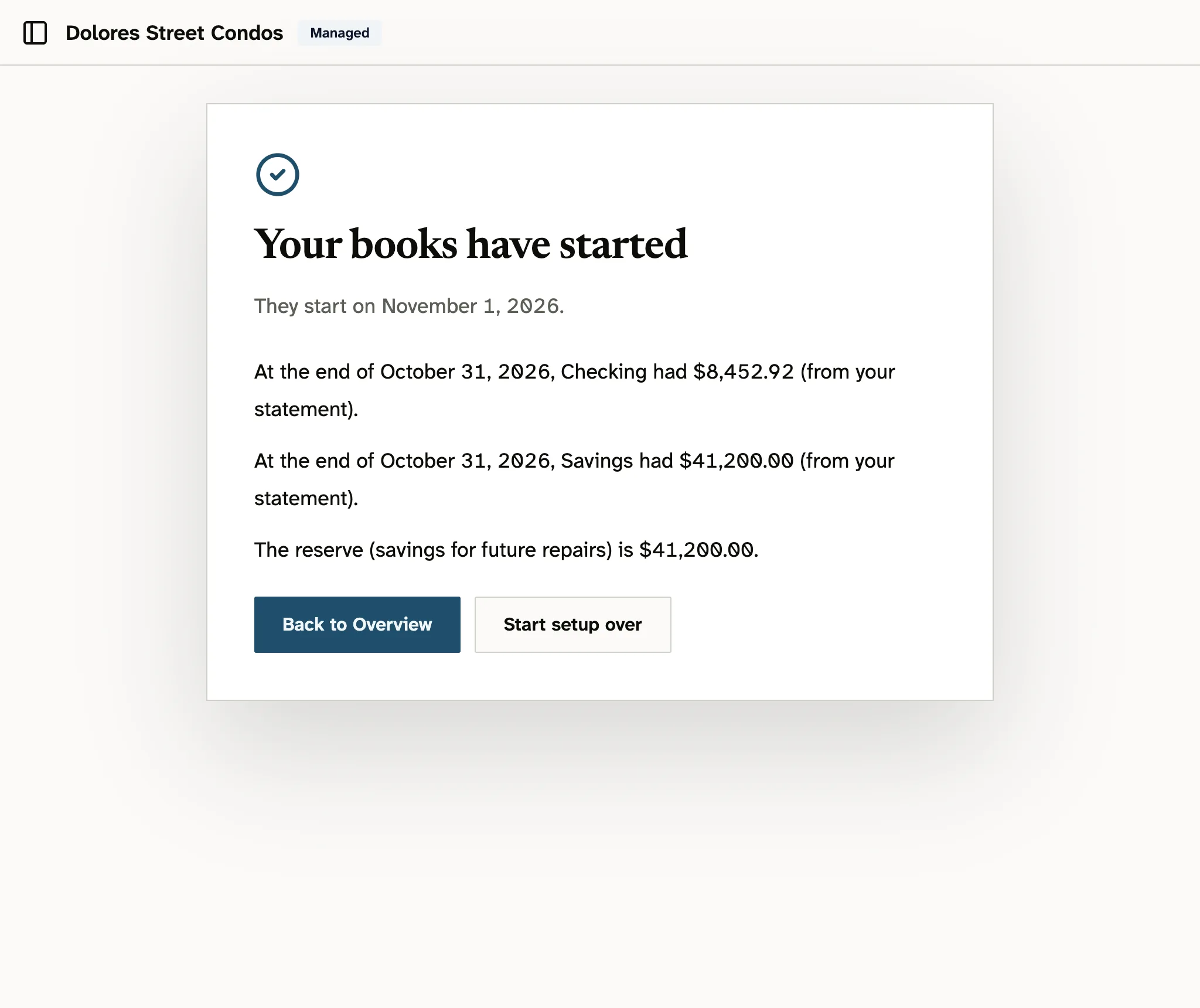
Casora shows your start date and each balance in plain sentences. Read them against your statements, then choose Start our books.
What happens next
Bank transactions dated before your start date stay visible, marked as before your start date. They never go into your books. Transactions on the start date and after are in, waiting in Transactions → To review. See How to sort bank activity and close the month.
Frequently asked questions
Can I change the start date?
Yes, until you've started working in the books. Start setup over lets you redo every answer. Once transactions are sorted, matched or reconciled, it's blocked, so check the date first.
My statement ends on the 15th.
Use online banking to find the balance at the end of the day before your start date, or pick a start date the day after your statement ends.
Checks we wrote last month haven't cleared.
List them under Books → Bank accounts → Books-start items so your first month closes cleanly. They clear by themselves when the bank shows them.
Last reviewed November 11, 2026. General information, not legal or tax advice.
See where your association stands.
Set up Casora for your building today.