How to use Casora
How to connect your association's bank account
Last reviewed
Short answer: while you set up your books, choose Connect your bank, log in to your bank through Plaid, and say which account is operating and which is reserve. From then on, new activity arrives in Transactions for you to sort. The connection is read-only: Casora never moves money.
Before you start
- You need the association's online banking login. Your bank may text a code to whoever set it up.
- It takes about three minutes.
- You can also start without a connection, typing balances from your statement, and connect later.
Choose Connect your bank
The easiest time is while you set up your books (see How to set up your books from your starting balances). At How should we get your starting balances?, choose Connect your bank, then the Connect your bank button.
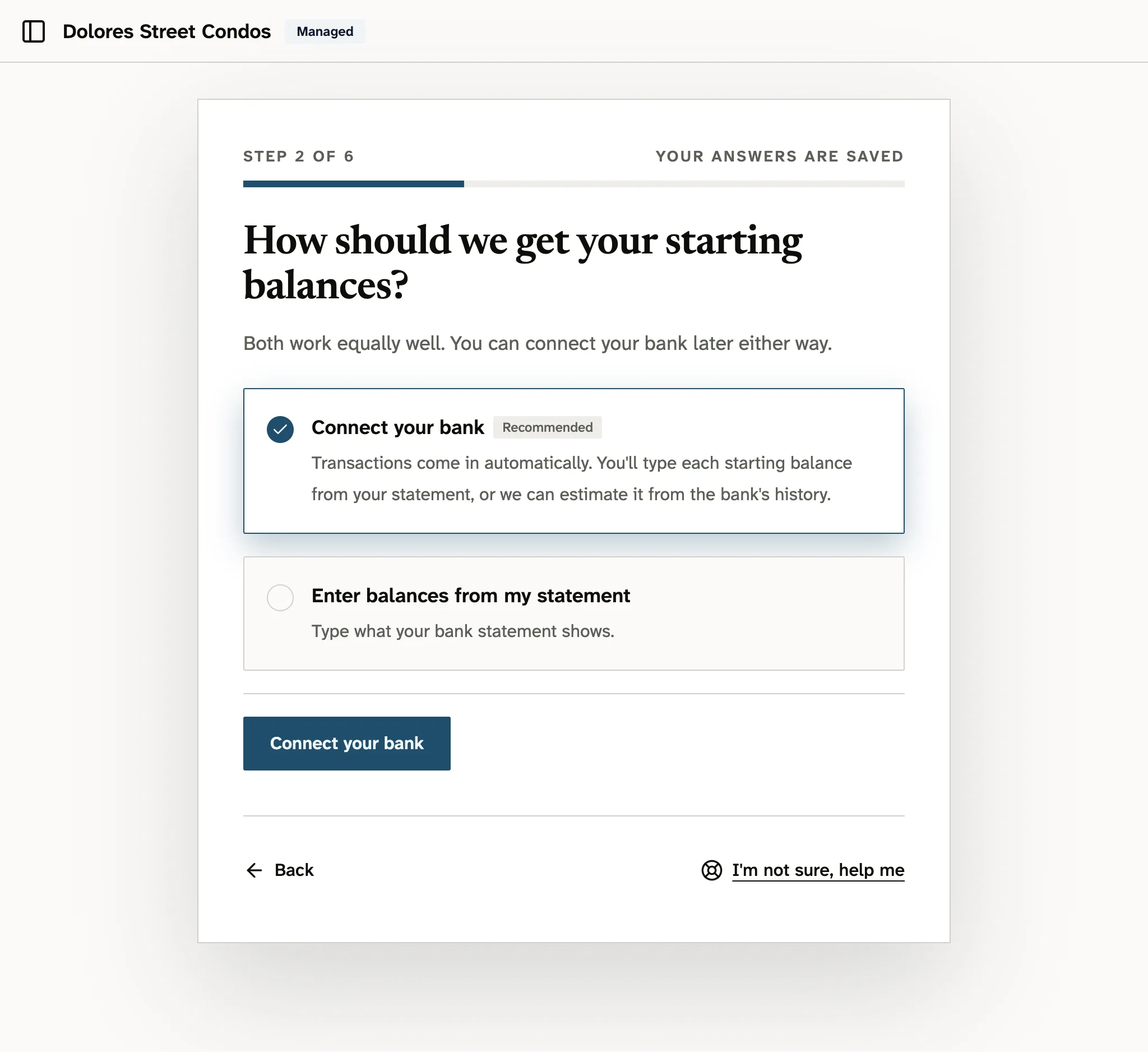
Already set up? Go to Books → Bank accounts and choose Connect a bank.
Log in through Plaid
Casora uses Plaid, a bank connection service used by many finance apps. Your bank password goes to Plaid and your bank, never to Casora.
- Search for your bank by name and select it.
- Log in with the association's online banking username and password.
- Select every association account at that bank: usually one checking account and one savings account.
Say what each account holds
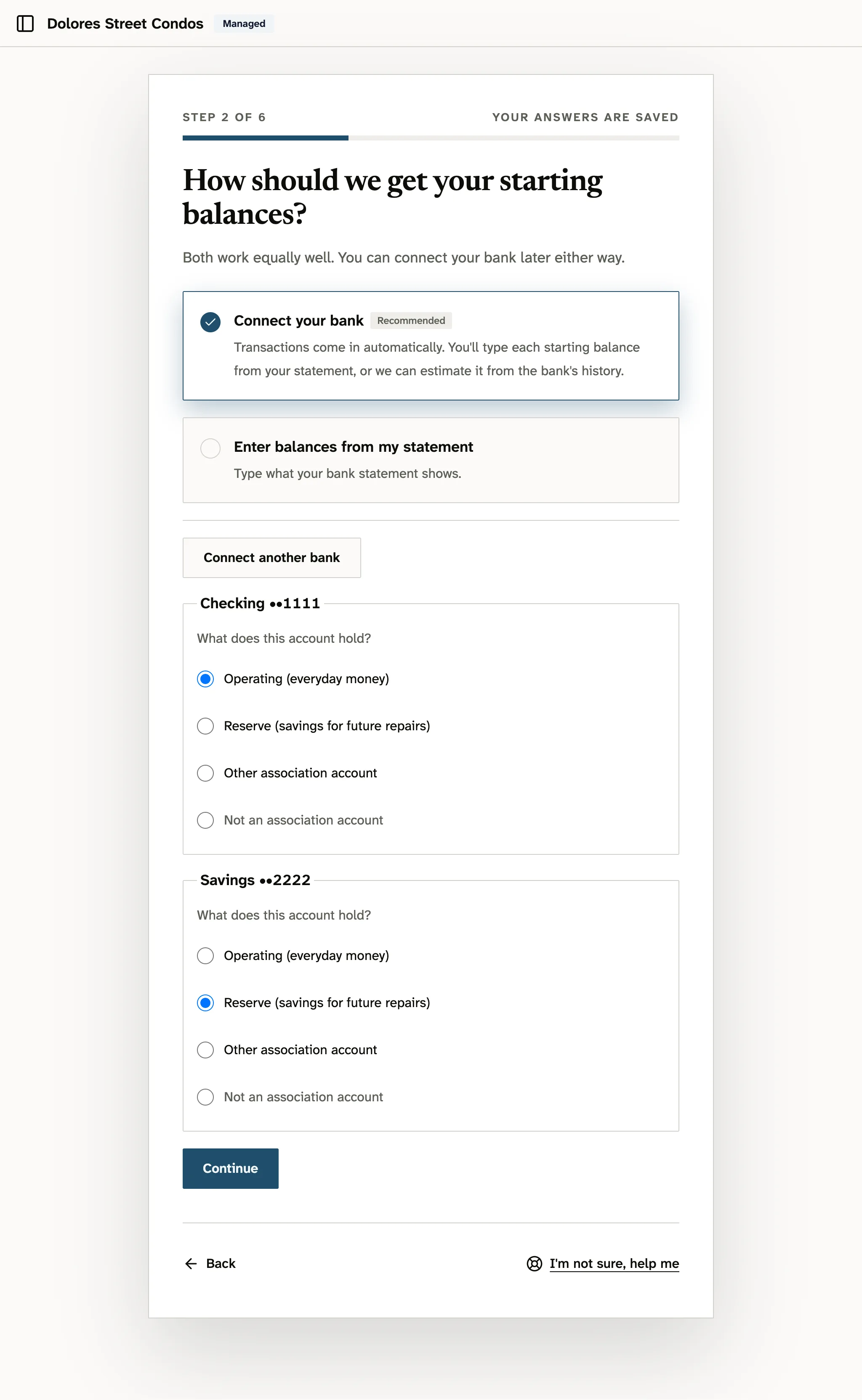
Back in Casora, answer What does this account hold? for each account.
| Choice | Pick it for |
|---|---|
| Operating (everyday money) | The checking account dues go into and bills come out of |
| Reserve (savings for future repairs) | The savings account set aside for roofs, paving and other big repairs |
| Other association account | Any other account the association owns |
| Not an association account | A personal account that came through by mistake. Casora ignores it |
Casora keeps operating and reserve money separate, so this answer matters. Then choose Continue.
Check your connection
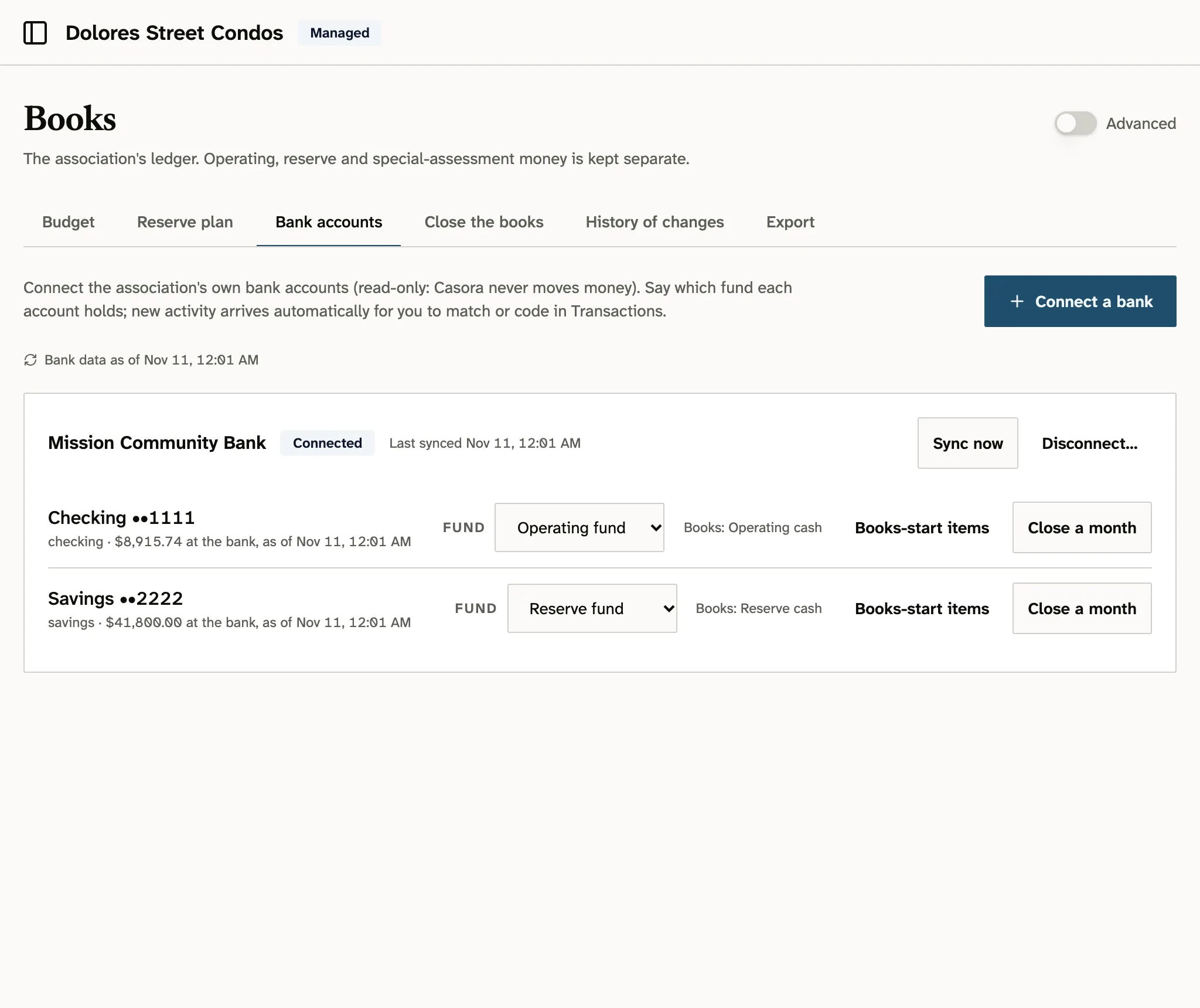
Books → Bank accounts shows each bank, when it last synced, and each account's fund and balance at the bank. New activity arrives by itself. Sync now fetches anything the bank has sent since the last sync.
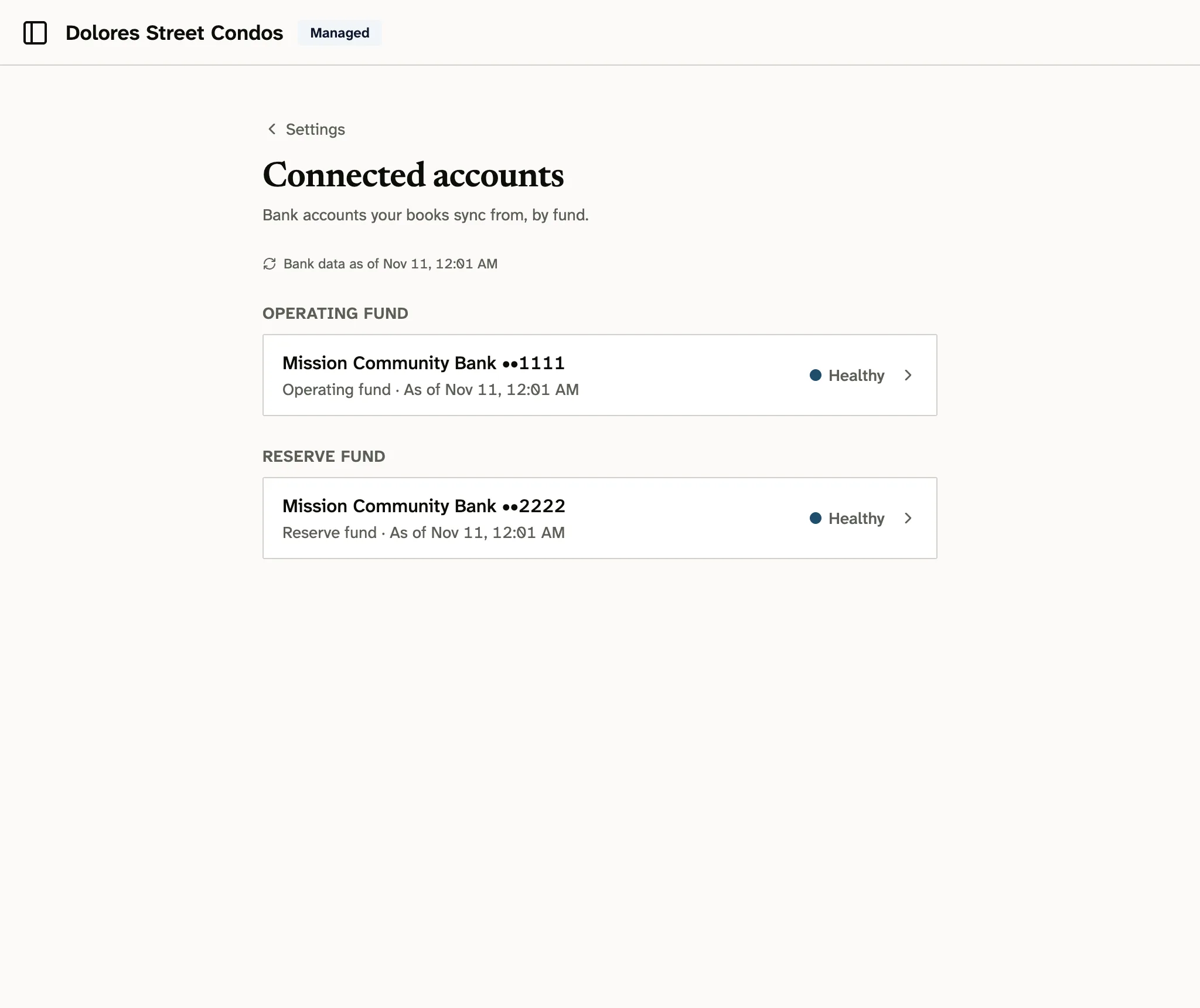
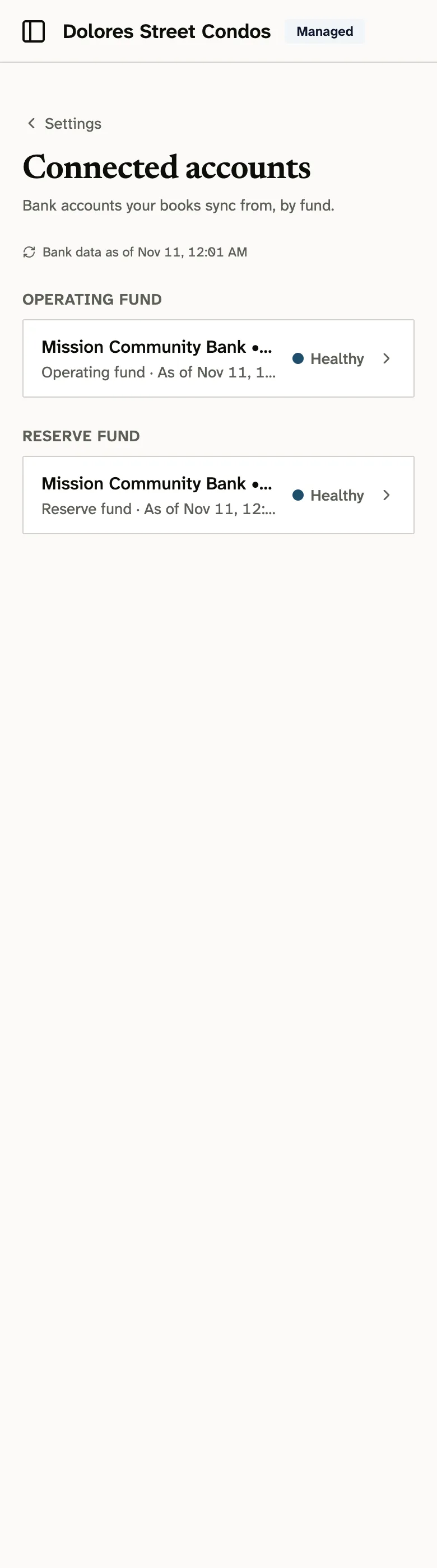
Settings → Connected accounts lists every account by fund, with its health.
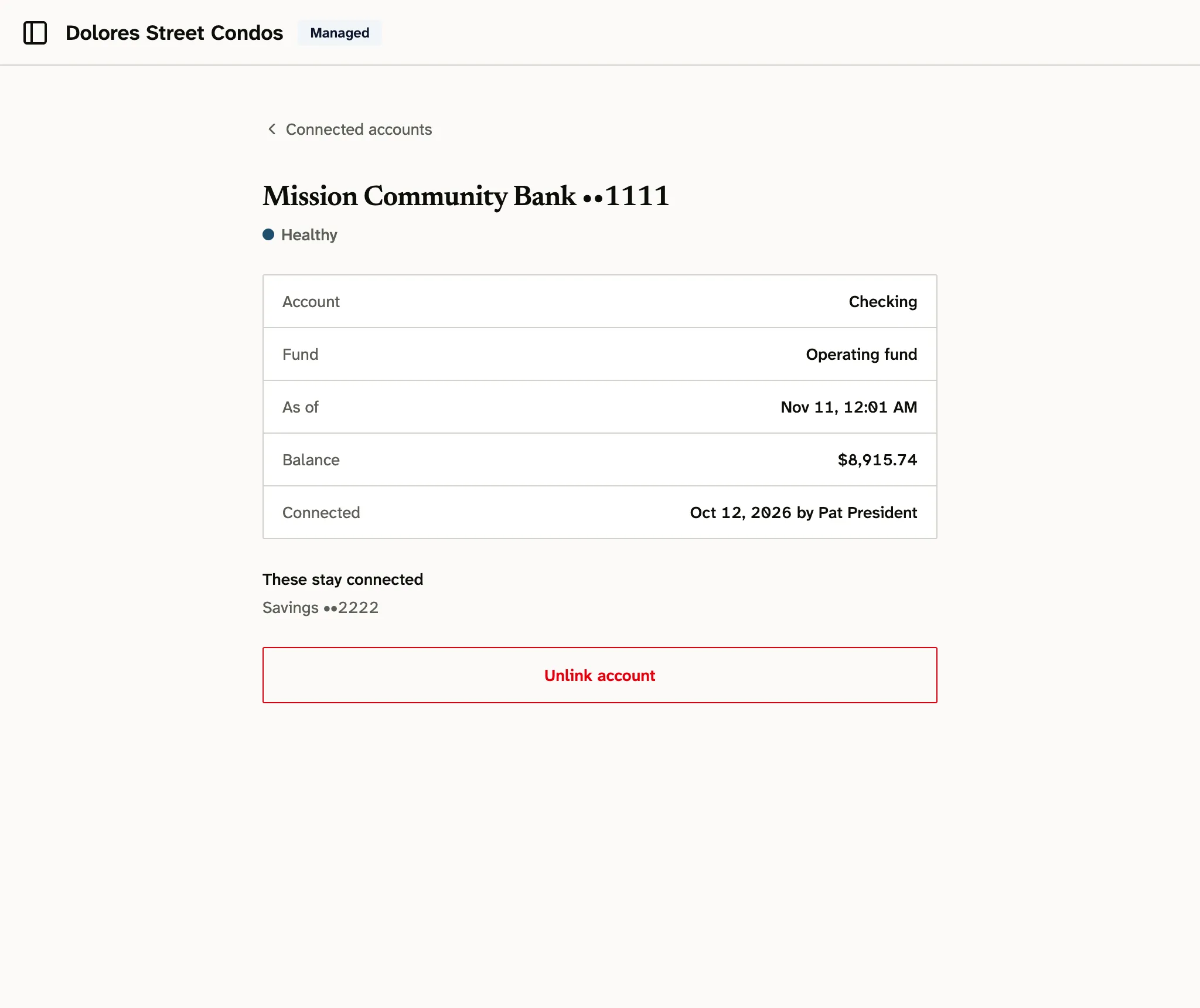
Open an account to see its balance, when and by whom it was connected, and Unlink account.
The same list fits a phone screen, so you can check on it from anywhere.
If a connection breaks
Banks sometimes ask you to log in again, for example after a password change. Casora tells you in three places:
- Settings → Connected accounts: the account shows Broken with a Reconnect button. Open it to see why, such as "The bank needs you to sign in again."
- Books → Bank accounts: a Needs reconnecting badge and a Reconnect button.
- Transactions: a note that bank data is out of date, with Reconnect.
Choose Reconnect and log in through Plaid again. Your history picks up where it left off. Only board members see Reconnect.
What happens next
New deposits and payments land in Transactions → To review. See How to sort bank activity and close the month.
Frequently asked questions
Can Casora move money out of our account?
No. The connection is read-only. Casora reads balances and transactions, and nothing else.
Our reserve is at a different bank.
Connect the first bank, then choose Connect a bank again on Books → Bank accounts for the second.
Can I use a board member's personal login?
Use the association's own online banking login if it has one. If an account from someone's personal login comes through, mark it Not an association account.
Last reviewed November 11, 2026. General information, not legal or tax advice.
See where your association stands.
Set up Casora for your building today.