How to use Casora
How to set up your building's community groups
Last reviewed
Short answer: everyone in the building starts in the ready-made groups in Community. Anyone can choose Propose a group, and the president approves it under Waiting for your approval. The board chooses who can post in each group and decides what happens when someone reports a message.
Before you start
- Community is for people in the building: current owners, residents and the board.
- Chat messages aren't official notices. For anything official, the board sends an announcement (see How to send an announcement to your building).
- Only names are shown in chat, never units or contact details.
The ready-made groups
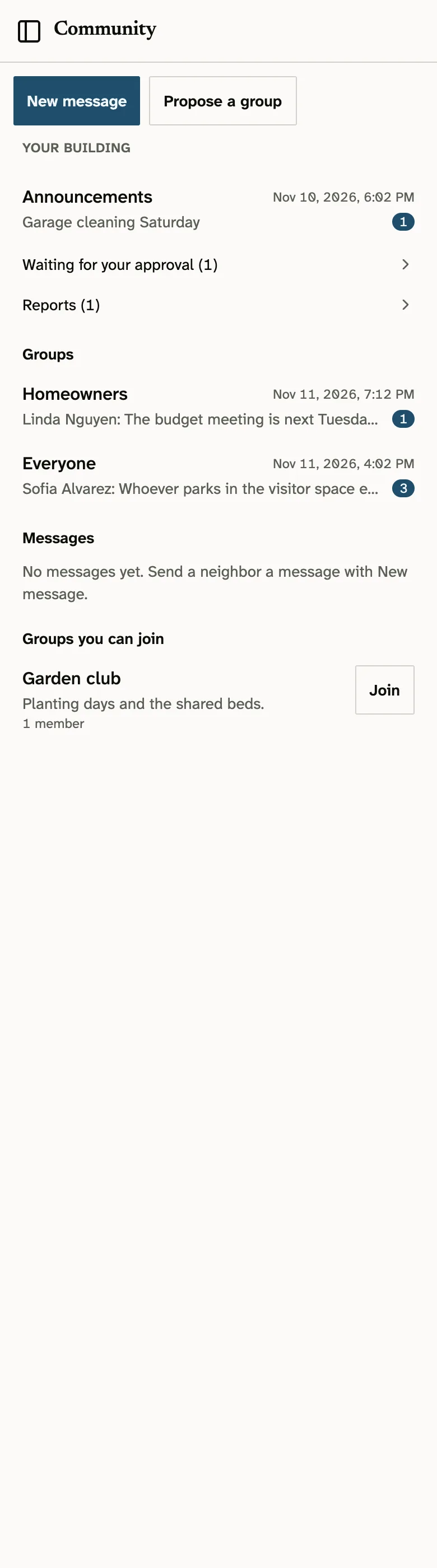
Every building gets three groups, and people are added to the right ones automatically.
| Group | Who's in it | Who can post |
|---|---|---|
| Announcements | Everyone in chat | The board (announcements appear here) |
| Homeowners | Current owners and the board | Every member |
| Everyone | Owners, residents and the board | Every member |
Nobody leaves Announcements or Homeowners. People can leave Everyone, and join again from Community.
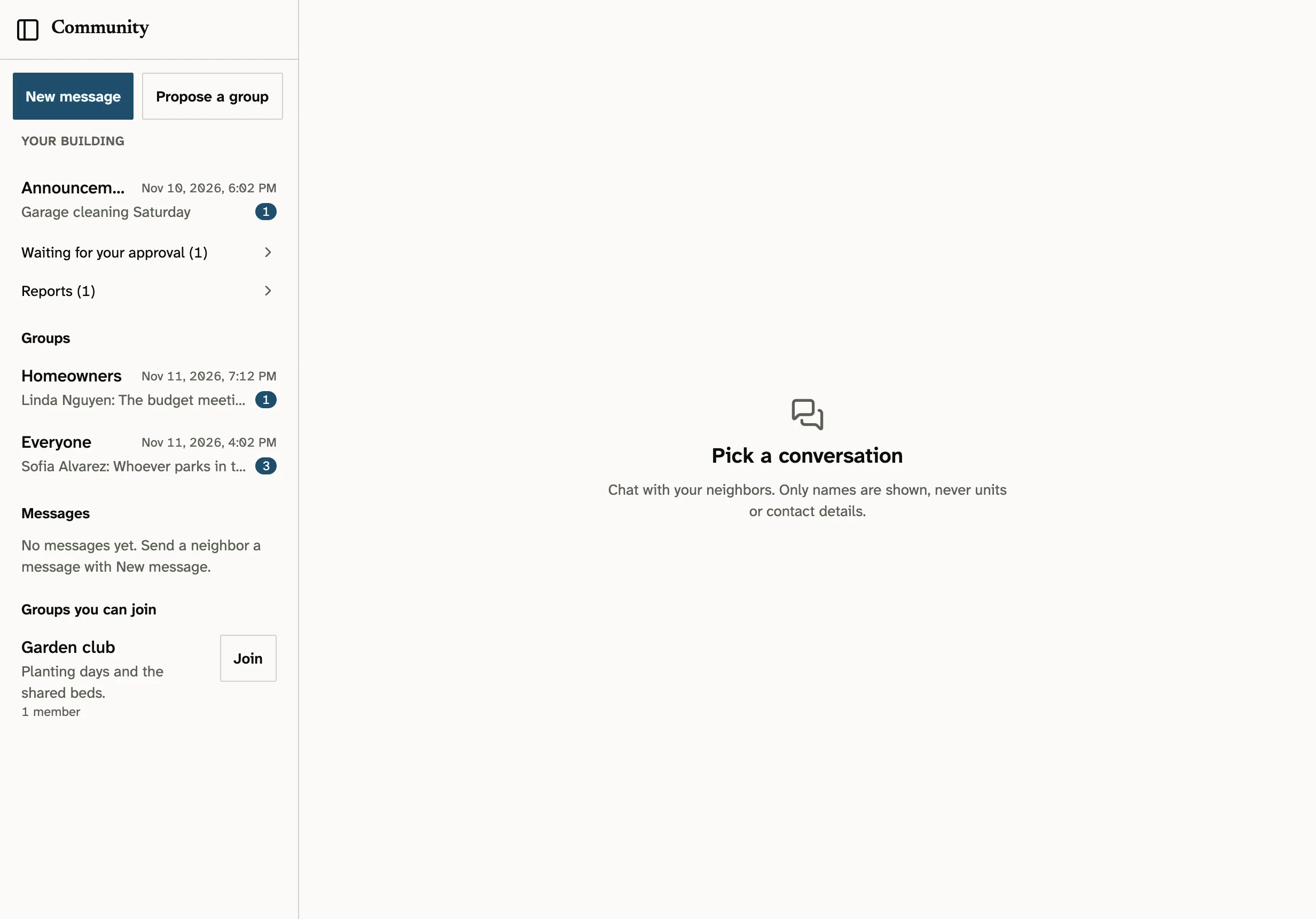
Propose a group
Anyone in chat can propose a group, like a running group or a book club.
- In Community, choose Propose a group.
- Fill in Name and What it's for.
- Choose Send for approval.
It shows under Your proposals until it's decided. Once it's approved, the person who proposed it is in the group, and others can choose Join.
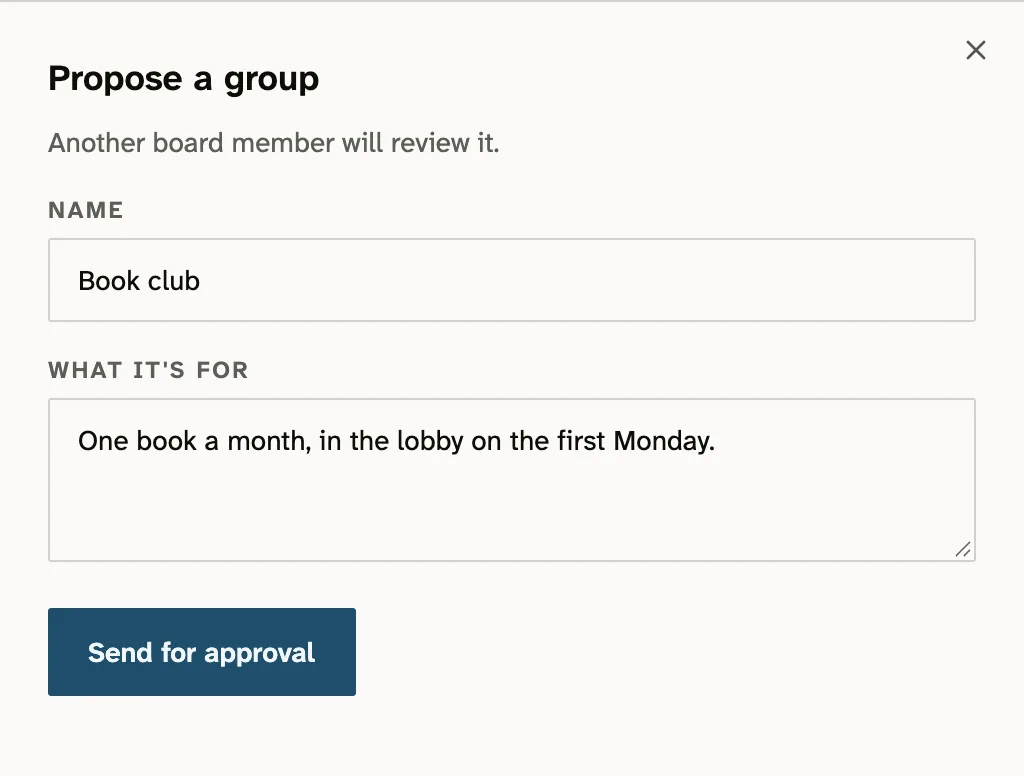
Approve or decline a group
The president decides. If the president proposed the group, any other board member can.
- In Community, choose Waiting for your approval.
- On Proposed groups, read each one.
- Choose Approve, or Decline and add a reason if you like. The person who proposed it sees your note.
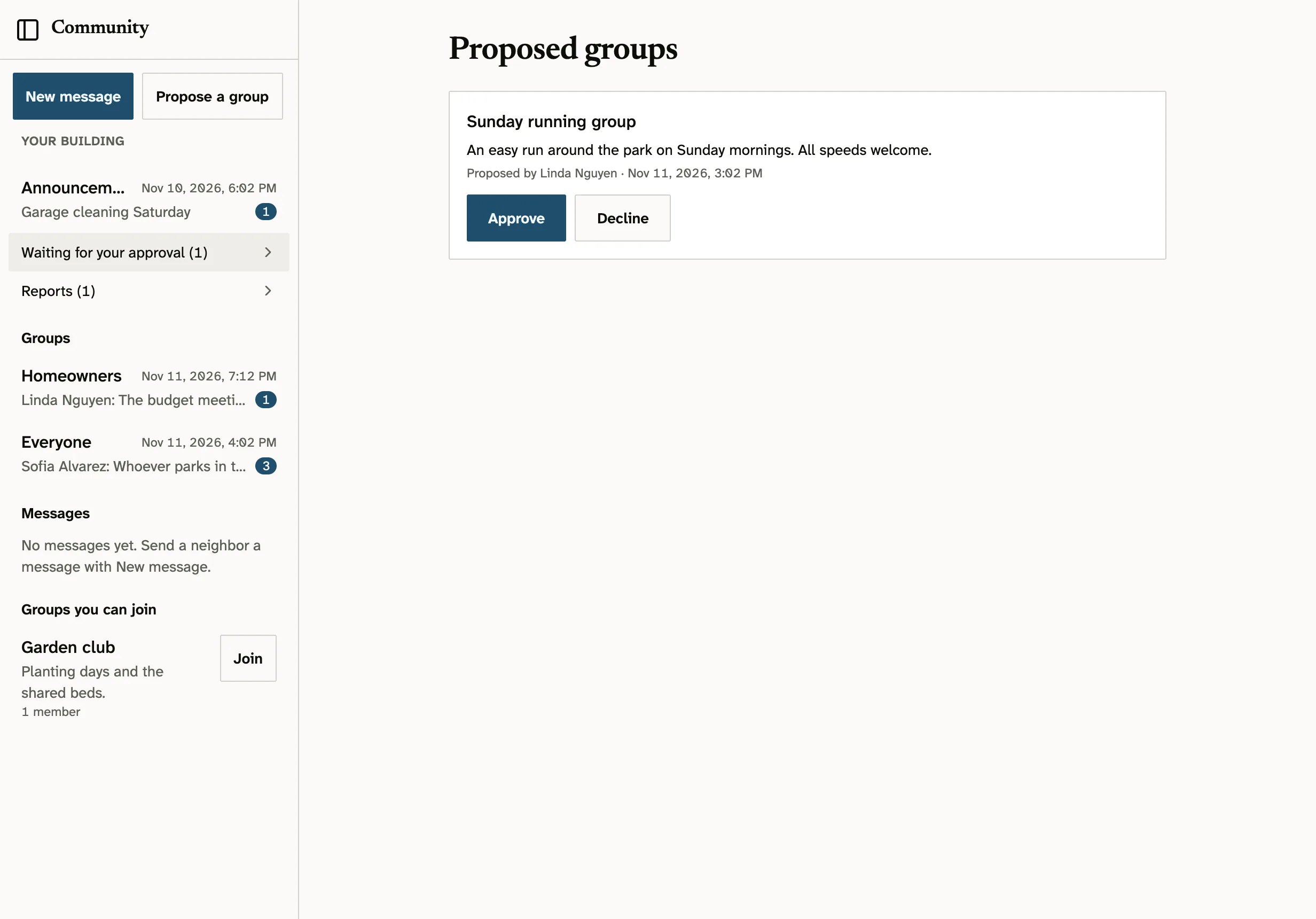
Choose who can post
Board members are admins of every group. Open a group, choose the Group menu, then Posting:
- Open: every member can post
- Read-only: only the board and people it allows
In a read-only group, choose Members and switch on Allowed to post for the people who can post. Choose Save when you're done.
Keep it friendly
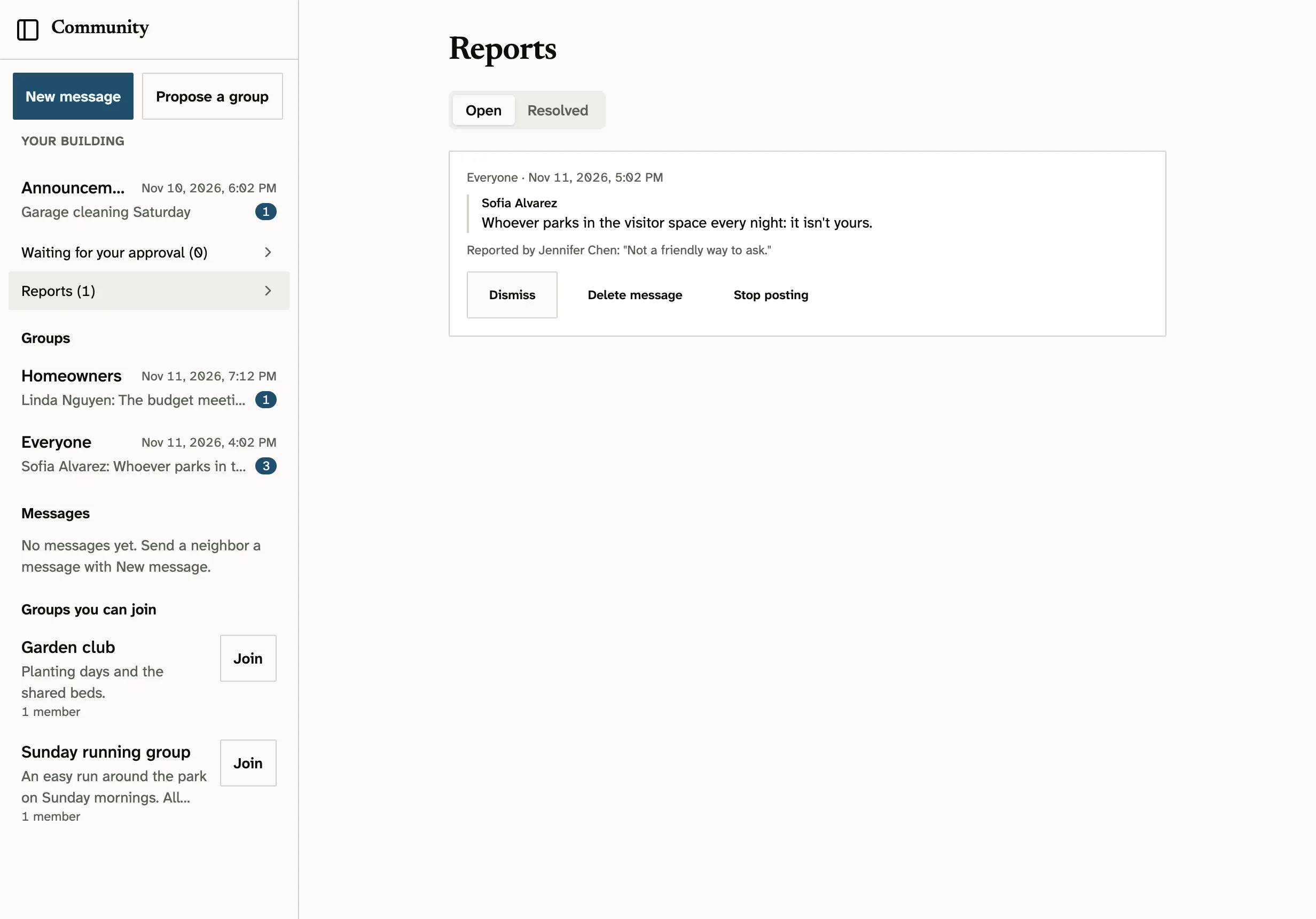
Anyone can report a message: open the message's menu and choose Report. The board sees the message and who reported it, and decides what to do.
- In Community, choose Reports.
- Read the message and the reason.
- Choose one: Dismiss, Delete message, Remove from group (in groups people proposed) or Stop posting (in Homeowners and Everyone). The person who is stopped can still read, and sees your reason.
One-to-one messages are private. The board sees one only if someone reports it.
What happens next
People post, react, and share photos and voice notes. Each person can Mute a group or turn on its Daily email from the Group menu. Resolved reports stay under Resolved in Reports.
Frequently asked questions
Can tenants join?
Yes. Residents are in Announcements and Everyone, and can join groups that neighbors propose. Homeowners is for current owners and the board.
Can the board read private messages?
No. The board sees a one-to-one message only if someone reports it.
Can someone leave the Homeowners group?
No. Owners stay in Homeowners while they own a unit, and anyone can mute it.
Last reviewed November 12, 2026. General information, not legal or tax advice.
See where your association stands.
Set up Casora for your building today.