How to use Casora
How to send an announcement to your building
Last reviewed
Short answer: go to Notices and choose New announcement. Write a title and the announcement, choose Who it's for and How urgent, then choose Post to N people. Everyone it's for sees it in Casora, and gets it by email right away or in their daily summary.
Before you start
- Only the board can post an announcement. Owners and tenants read them; they can't send them.
- Invite your owners and residents first. If no one is in the audience you choose, Casora says "No one is in that audience yet."
- An announcement is permanent. You can archive one later, but you can't edit it, so check it before you post.
Write and post it
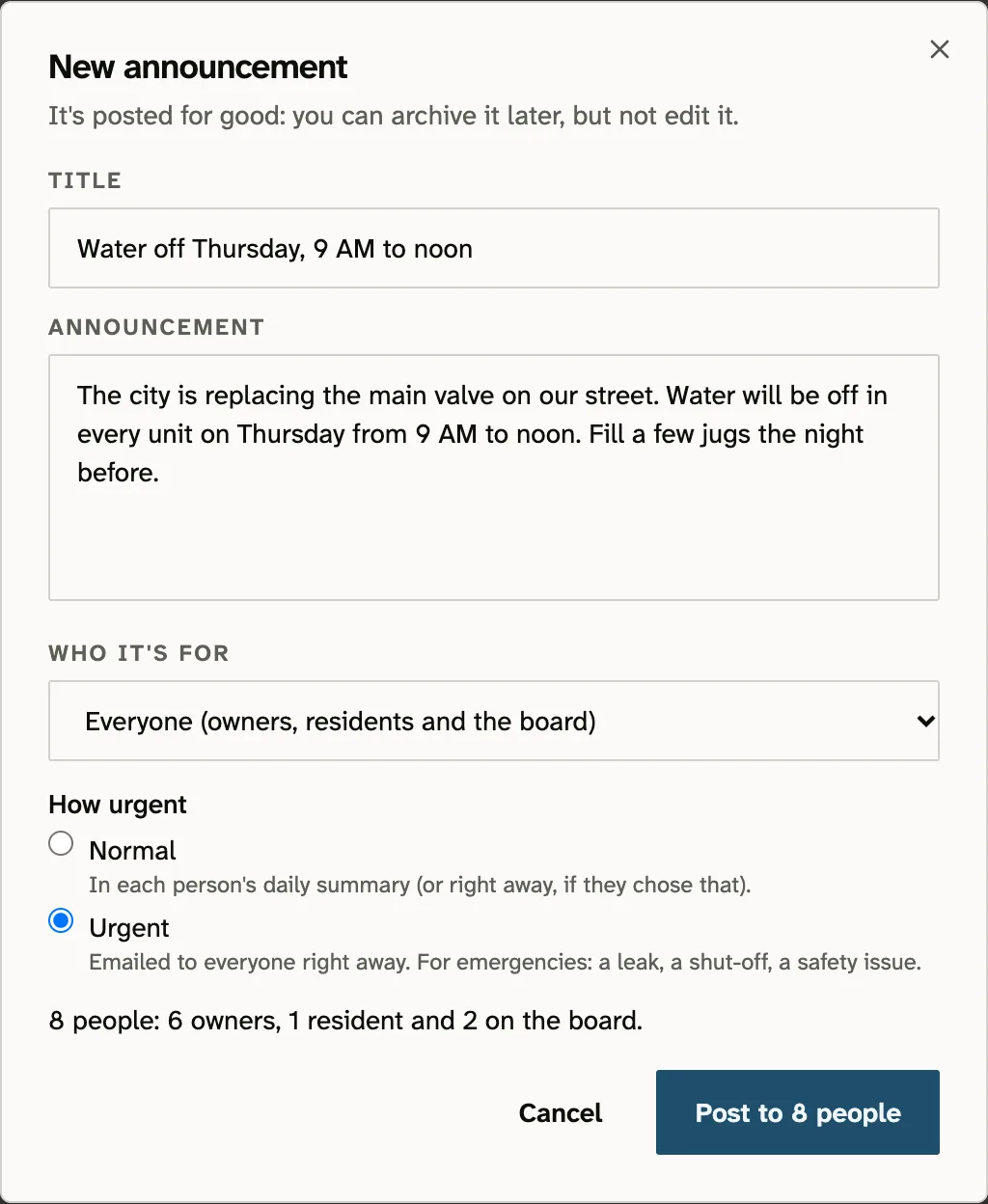
On Notices, choose New announcement.
- Type a short Title, like "Water off Thursday, 9 AM to noon".
- Write the Announcement. Say what's happening, when, and what people should do.
- Under Who it's for, choose one:
- Everyone (owners, residents and the board)
- Owners only
- The board and auditors
- Chosen units, then tick the units it's for.
- Under How urgent, choose Normal or Urgent (see below).
- Check the line that counts who it reaches, like "8 people: 6 owners, 1 resident and 2 on the board."
- Choose Post to 8 people. The button always shows how many people it goes to.
Normal or urgent
| Choice | How people get it |
|---|---|
| Normal | In each person's daily summary email, or right away if they chose that |
| Urgent | Emailed to everyone right away |
Keep Urgent for emergencies: a leak, a shut-off, a safety issue. Each person chooses how they get normal announcements on their Profile, under Email me announcements: A daily summary or Each one as it happens. Urgent announcements always come right away.
Casora sends at most 10 announcements for an association in 24 hours. If you have several things to say, put them in one.
See who's read it
Your announcements are listed on Notices, newest first, each with how many people got it and how many have seen it.
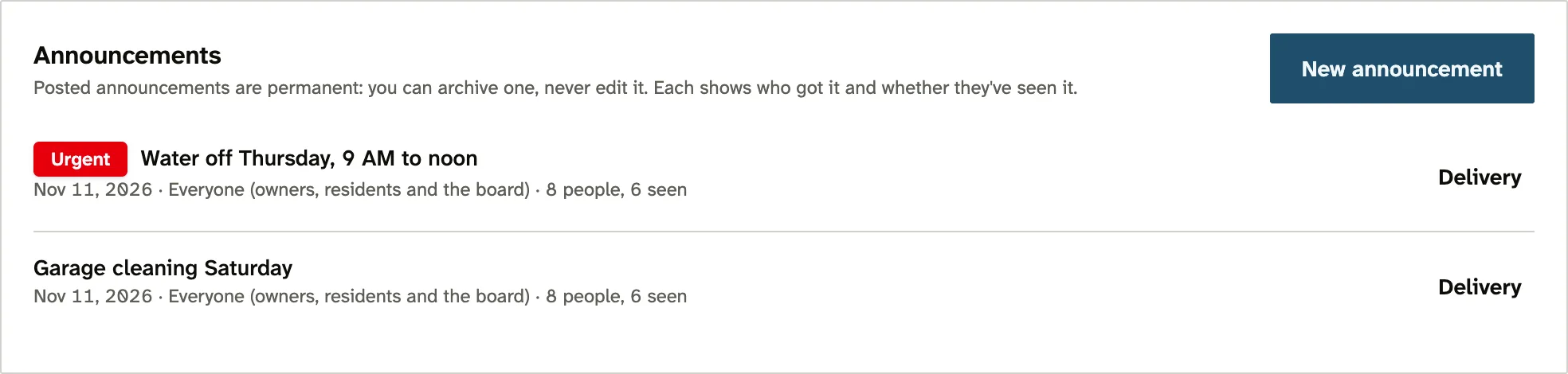
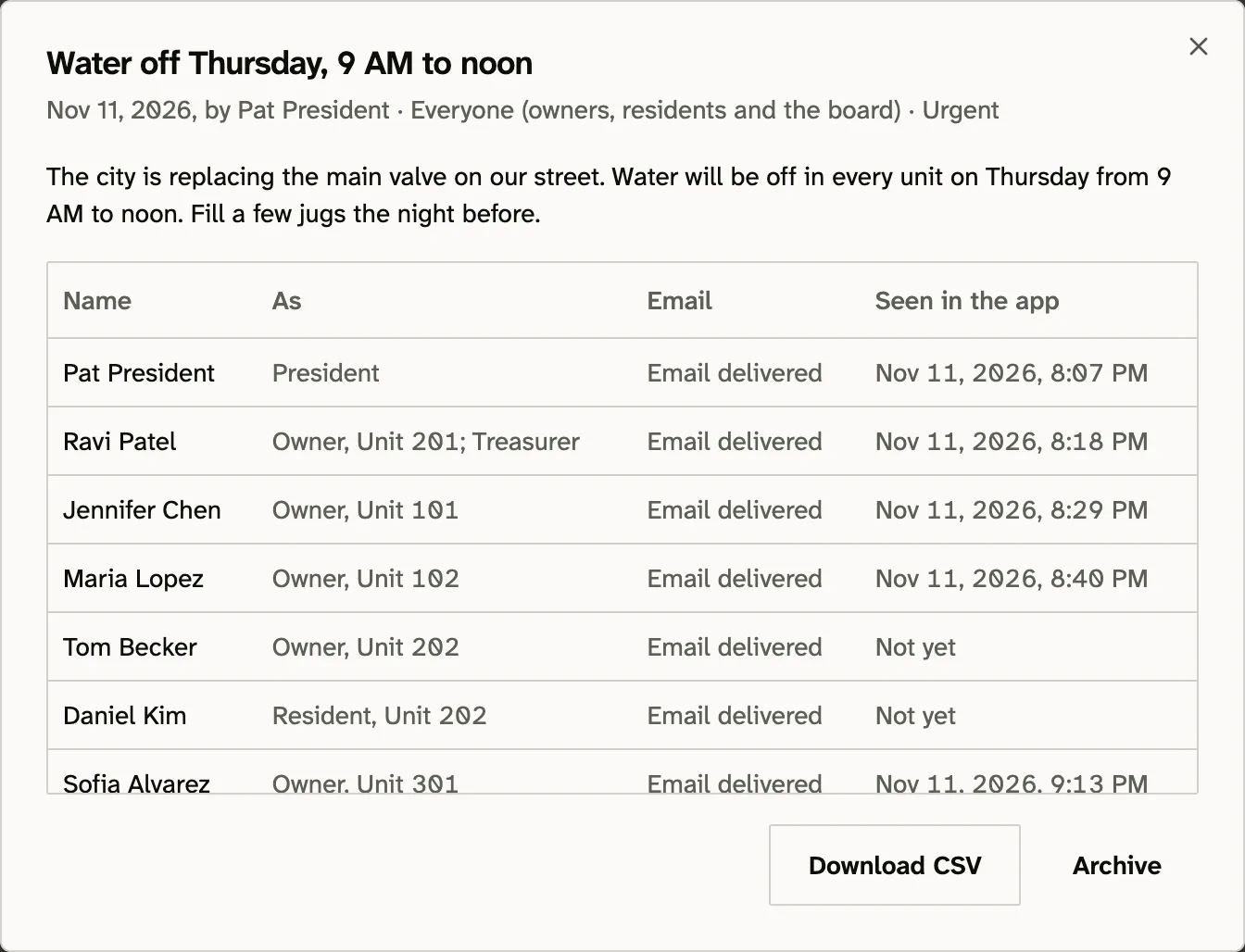
Choose Delivery to see the full record: each person, how they're connected to the building, their email status, and when they saw it in the app ("Not yet" if they haven't). Choose Download CSV to keep a copy.
Archive one that's out of date
Open the announcement's Delivery, choose Archive, and fill in Why archive it?. Then choose Archive it. Everyone who got it still sees it, marked Archived with your reason, below current announcements. No new email is sent.
What happens next
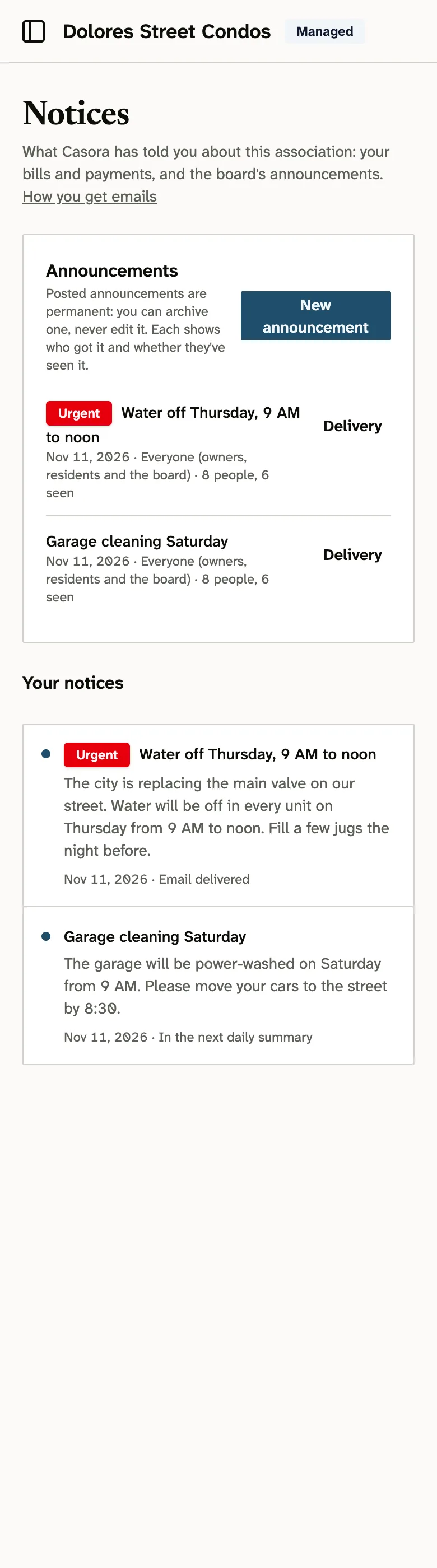
Each person sees the announcement in their Notices and under Latest notices on their Overview. It also appears in the Announcements group in Community, where only the board can post.

Frequently asked questions
Can I edit an announcement after posting it?
No. Announcements are a permanent record. If something changed, archive the old one with a reason and post a new one.
Can owners or tenants post an announcement?
No. Only the board posts. Owners and residents can talk with each other in Community.
Do tenants see owners-only announcements?
No. An announcement for Owners only goes to owners and the board, never to tenants.
Last reviewed November 12, 2026. General information, not legal or tax advice.
See where your association stands.
Set up Casora for your building today.