How to use Casora
How to share documents with the right people
Last reviewed
Short answer: go to Documents and choose Upload. Pick the file, give it a title, say what kind of document it is, and choose who can see it. Owners and tenants see only what you share with them.
Before you start
- Have the files ready: PDF, photo (JPEG, PNG, HEIC), Word, Excel, CSV or text, up to 25 MB each.
- Start with your CC&Rs and bylaws.
Upload a document
On Documents, choose Upload.
- Choose the file.
- Enter a Title, like "CC&Rs".
- Pick the Kind of document: Governing documents, Minutes, Insurance, Contracts and more.
- For governing documents, pick Which document is it: CC&Rs, Bylaws, Rules and regulations, an amendment, and so on. Add the Effective date if you know it.
- Choose Who can see it.
- Choose Upload.
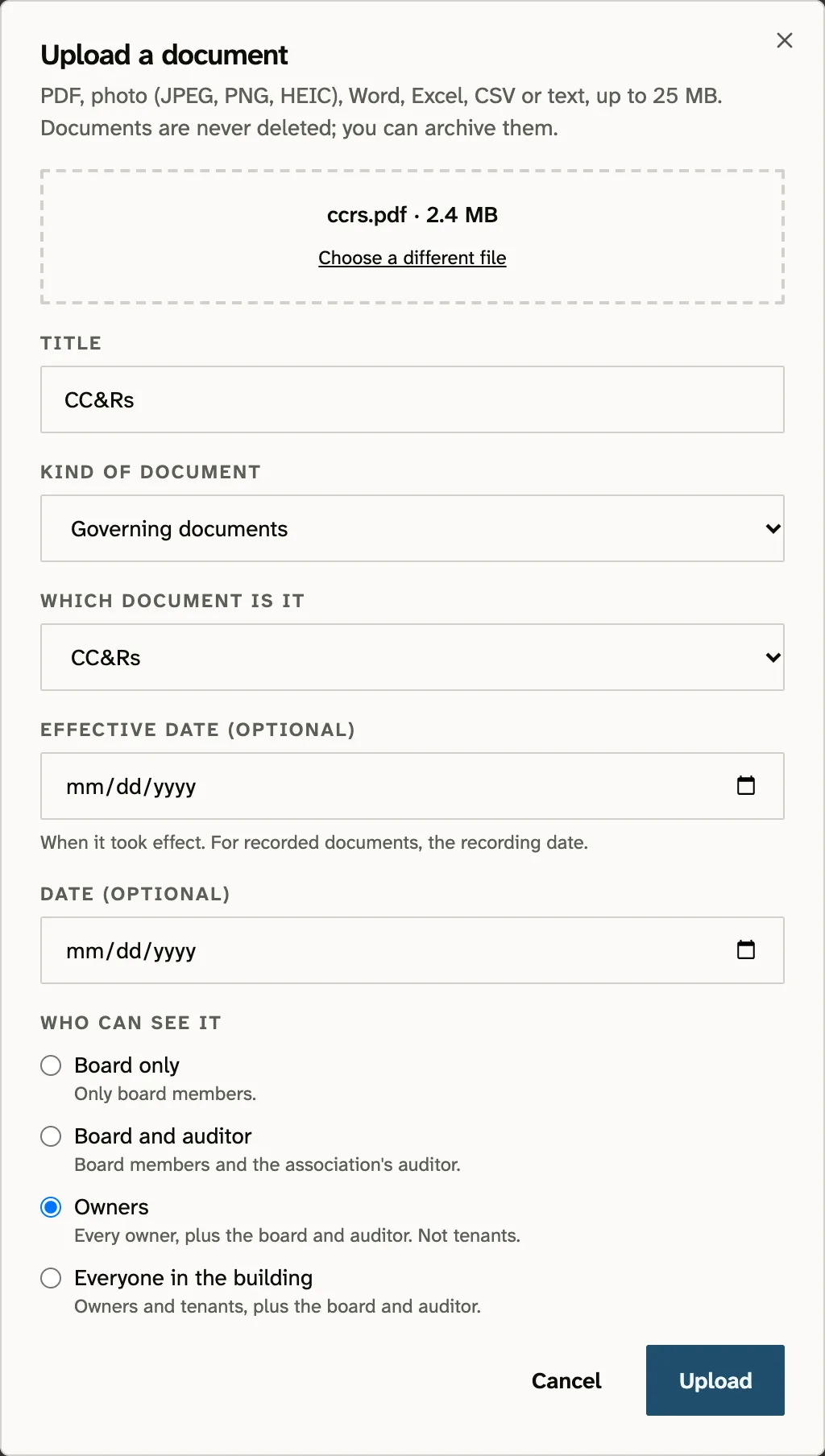
Choose who can see it
| Choice | Who sees it |
|---|---|
| Board only | Only board members |
| Board and auditor | Board members and the association's auditor |
| Owners | Every owner, plus the board and auditor. Not tenants |
| Everyone in the building | Owners and tenants, plus the board and auditor |
Which records owners are entitled to see depends on your rules: check your governing documents.
Find and manage documents
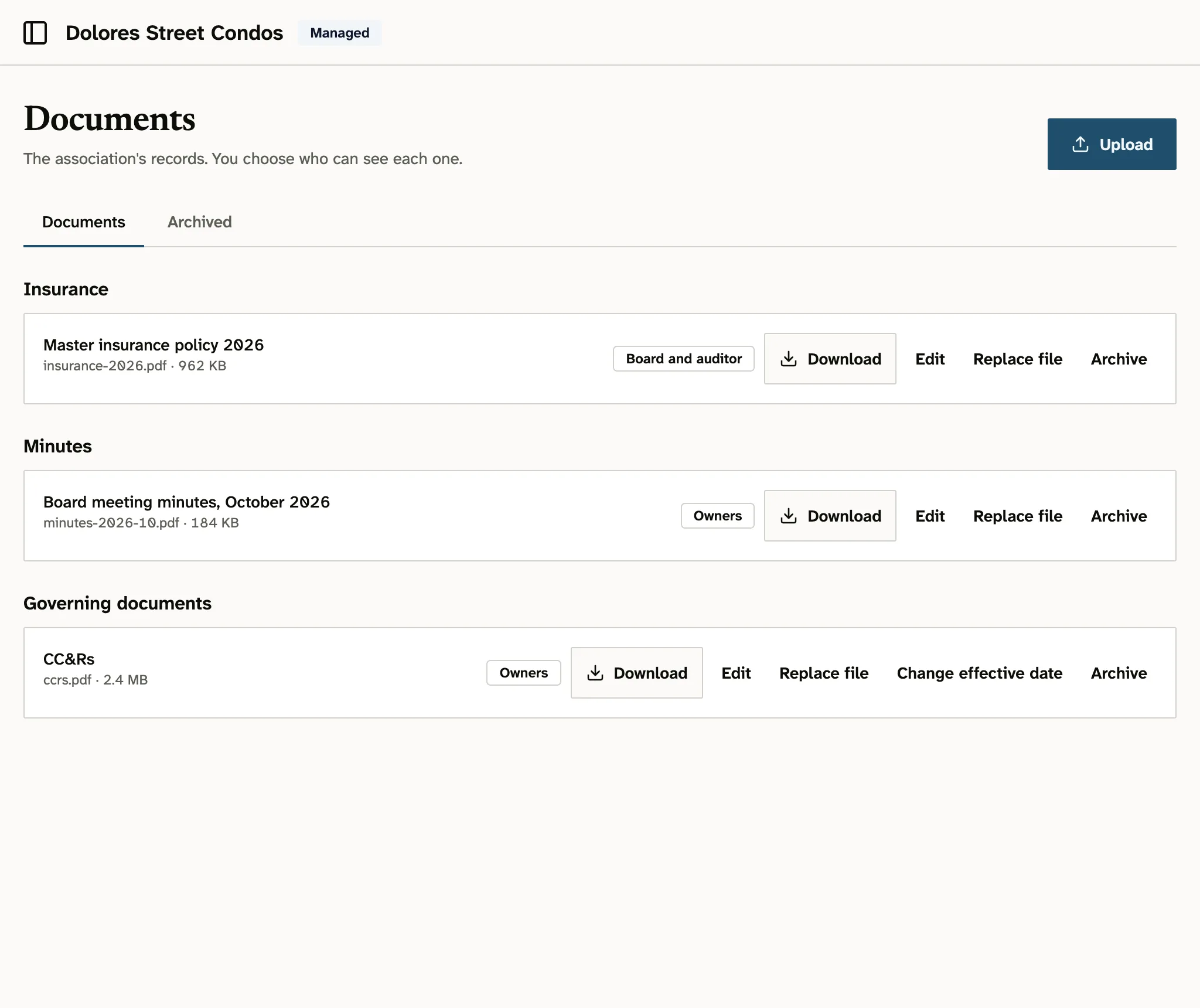
Documents are grouped by kind, each with who can see it. Download gets the file. Edit changes its title or who can see it. Replace file uploads a new version.
The list works on a phone too, so you can pull up the rules during a meeting.
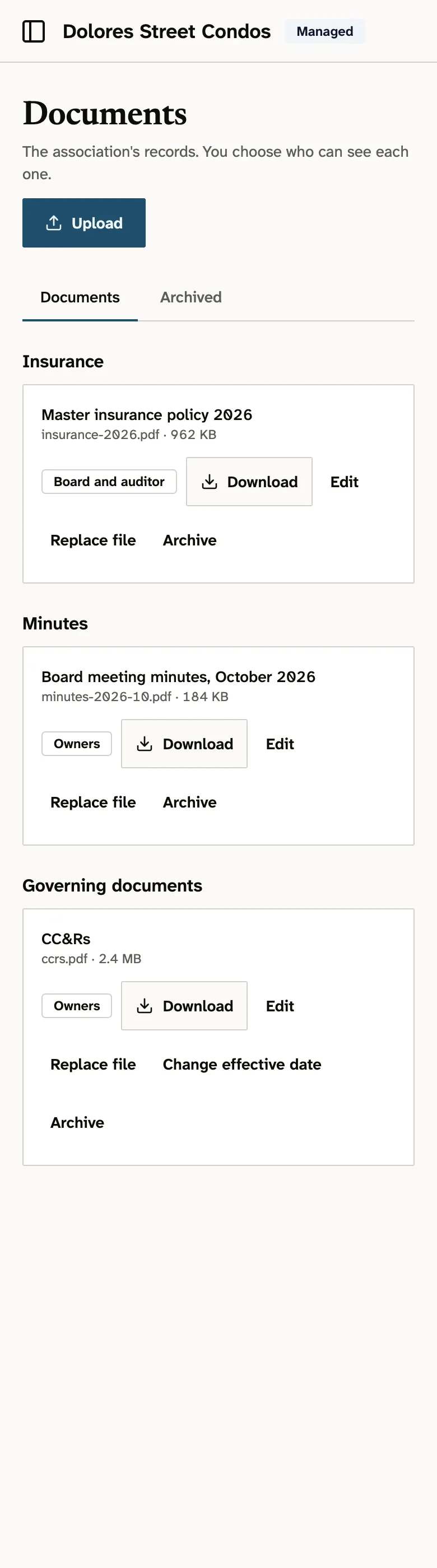
Archive what's out of date
Documents are never deleted. Choose Archive on one that's out of date and it moves to the Archived tab, where the board can still find it.
What happens next
Owners and tenants you've invited see the documents shared with them when they sign in. Board members see every document.
Frequently asked questions
Can I change who sees a document later?
Yes. Choose Edit on the document and pick a different Who can see it.
Can I delete a document?
No. Documents are kept so the association's records stay complete. Archive takes it out of the main list.
We adopted a new version of the rules.
Choose Replace file on the rules and upload the new one, or upload it as an amendment.
Last reviewed November 11, 2026. General information, not legal or tax advice.
See where your association stands.
Set up Casora for your building today.