How to use Casora
How to ask Hazel about your building's documents
Last reviewed
Short answer: choose Ask Hazel, type your question, and choose Send. Hazel answers from your building's governing documents and quotes the page each answer comes from, with Open page to check it. If the documents don't settle it, choose Ask the board.
Before you start
- Hazel is opening to buildings in small groups. If you don't see Ask Hazel, your building doesn't have it yet.
- The board turns Hazel on first. Until then, nothing is read.
- Hazel reads your CC&Rs, bylaws, rules and policies. She doesn't read financial records, minutes or resolutions.
For the board: turn on Hazel
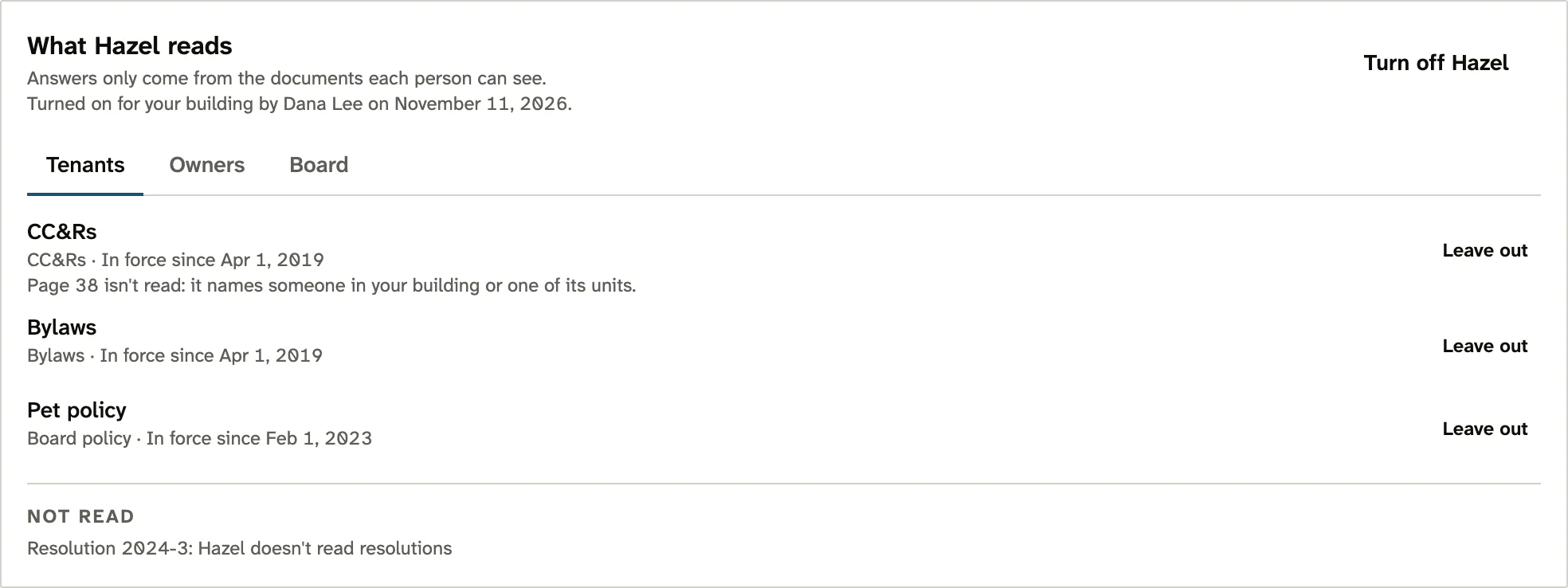
- Go to Documents. The panel What Hazel reads shows which documents she would read.
- Read the notice in the Turn on Hazel box. It says who will receive your documents and residents' questions.
- Choose Turn on Hazel.
Hazel reads a document once it has a kind and an effective date. When you upload or edit a governing document, choose Which document is it (for example CC&Rs or Amendment to the CC&Rs). To set the date, choose Change effective date on the document. A document that isn't read yet is listed under Not read with the reason, like "Choose a kind" or "Add the effective date".
Use the Tenants, Owners and Board tabs to see what each group's answers come from. To keep a document out, choose Leave out. A page that names someone in your building or one of its units isn't read, and the document says which page.
Ask a question
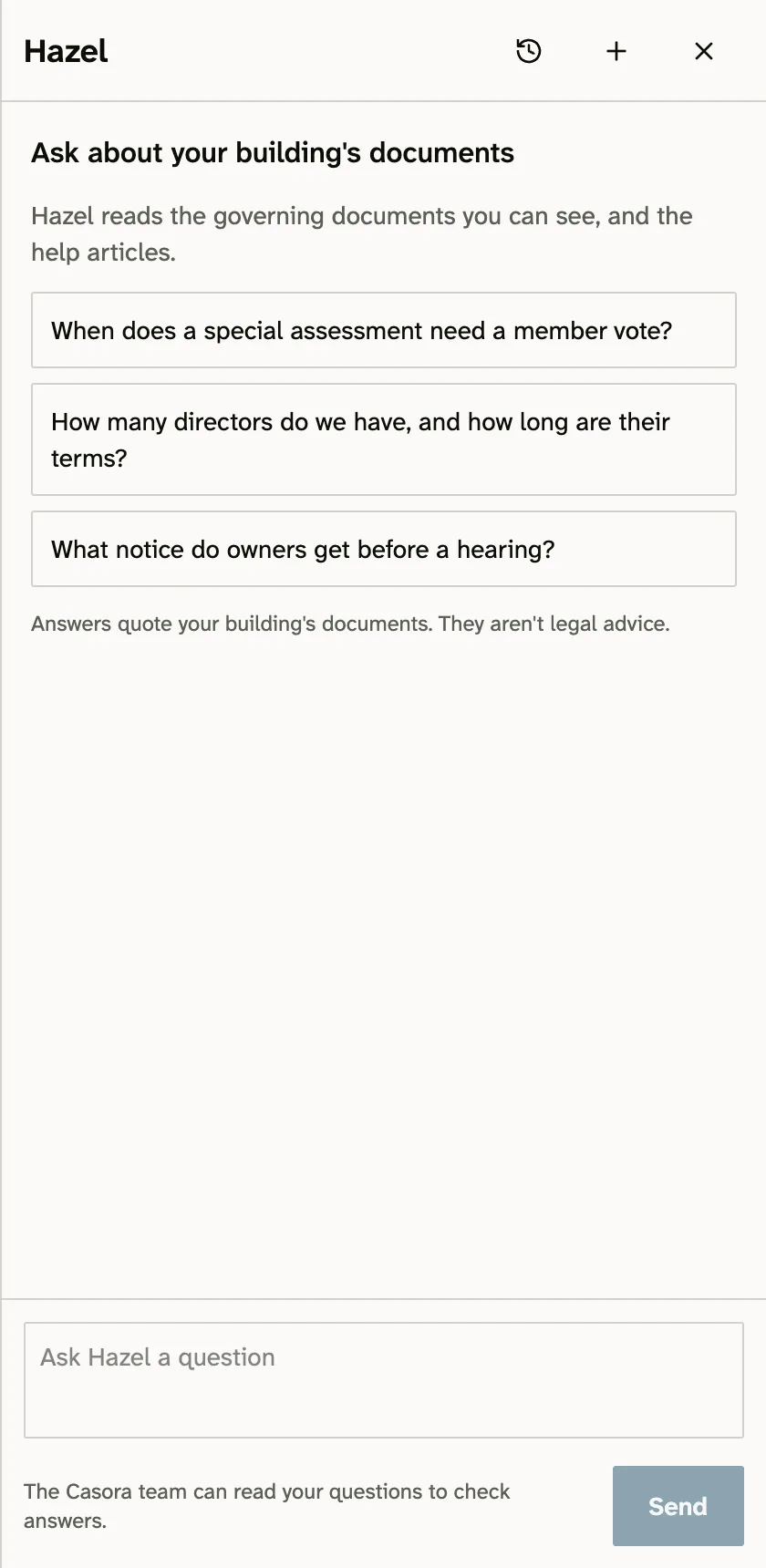
- Choose Ask Hazel. It's at the bottom right of most screens (on a phone, it's a round button).
- The first time, Hazel shows a notice: which AI providers receive your questions, and whether they may use them for training. Read it, then choose I understand, continue.
- Type your question the way you'd ask a neighbor, or tap one of the examples. Don't include names or personal details.
- Choose Send.
Hazel shows "Reading your documents…" while she works. It can take a minute or two. You can keep using Casora, and the answer will be there.
Read the answer
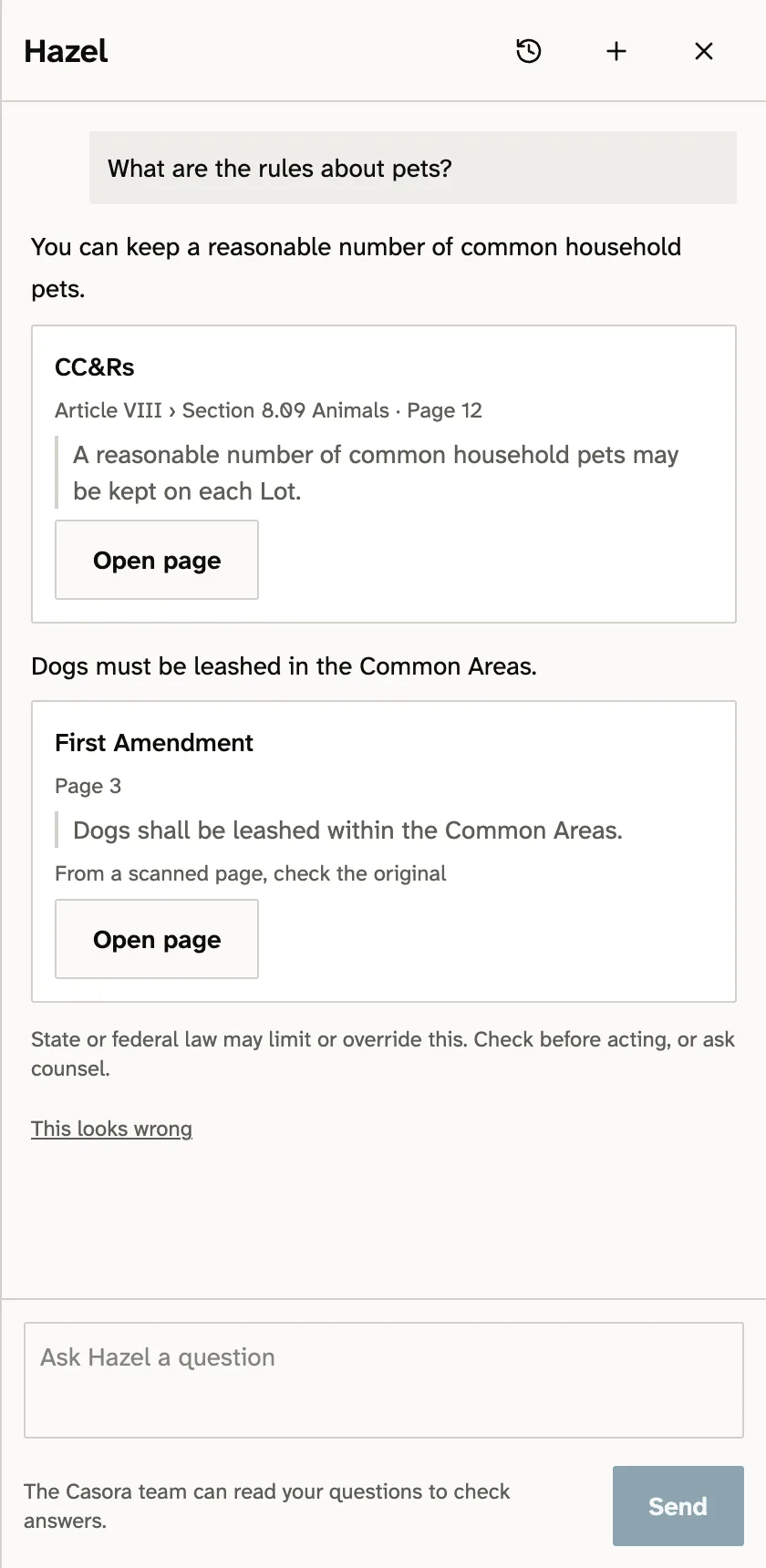
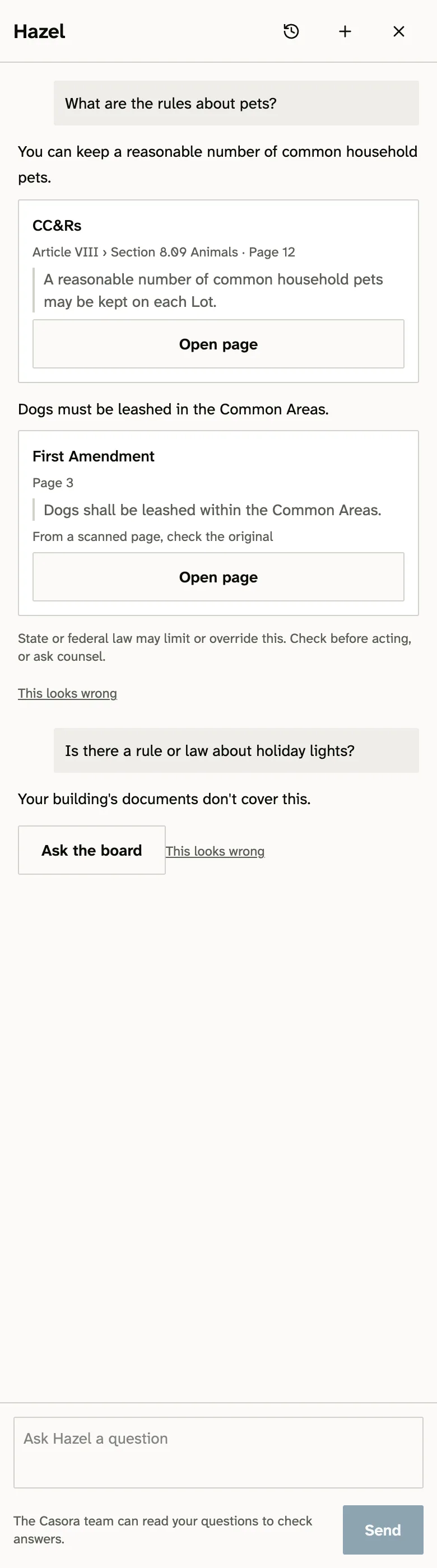
Each part of the answer quotes the document it comes from: its title, the section and the page. Choose Open page to see the page itself. If the quote is from a scanned page, Hazel says so, so you can check the original. When an amendment changed a rule, she says which one and when it took effect.
Answers quote your building's documents. They aren't legal advice, and Hazel won't say what the law says.
When Hazel can't answer
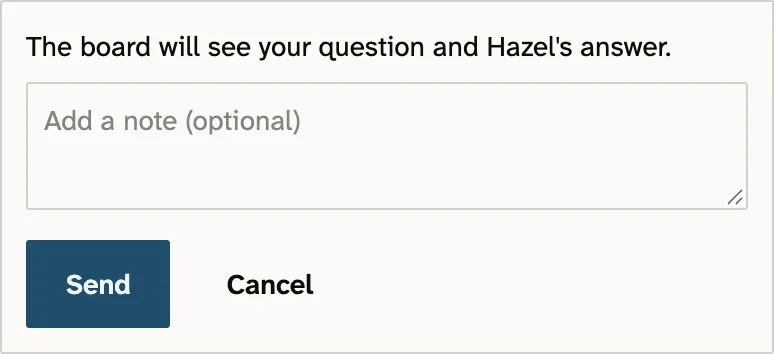
If your documents don't cover the question, Hazel says "Your building's documents don't cover this." Choose Ask the board to send your question and her answer to the board, with a note if you like. It arrives as a request, and you can follow it from there.
If an answer looks off, choose This looks wrong and say why. There's also a daily limit on questions. When you reach it, Hazel tells you exactly when you can ask again.
What happens next
Your questions are kept under History, and New question starts fresh. When the board adds or replaces a governing document, Hazel reads the new one once it has a kind and an effective date.
Frequently asked questions
Who can see my questions?
You, and the Casora team, who read questions to check answers. The board sees a question only if you send it to them.
Does Hazel read our finances or minutes?
No. She reads governing documents only, not balances, dues, minutes or resolutions.
Can tenants ask Hazel?
Yes. Everyone in the building can ask, and each person's answers come only from documents they can see.
Last reviewed November 12, 2026. General information, not legal or tax advice.
See where your association stands.
Set up Casora for your building today.